
Depthue Studio
Text to 3D model for 3D printing
Depthue Studio turns a short description into a full 3D model with cloud AI, geometry only, and opens it in an editor built for printing. The model lands on the build plate at 60 mm, repaired if it is not a closed solid, ready to resize, cut, hollow, letter, check and export as STL or 3MF. One model is 12 credits, from a free allowance of 50 credits a month.
Free in your browser, no card. Files stay on your device until you save to the cloud.
The short answer
- A description of up to 600 characters becomes a full 3D model through Tripo H3.1, geometry only, for 12 credits.
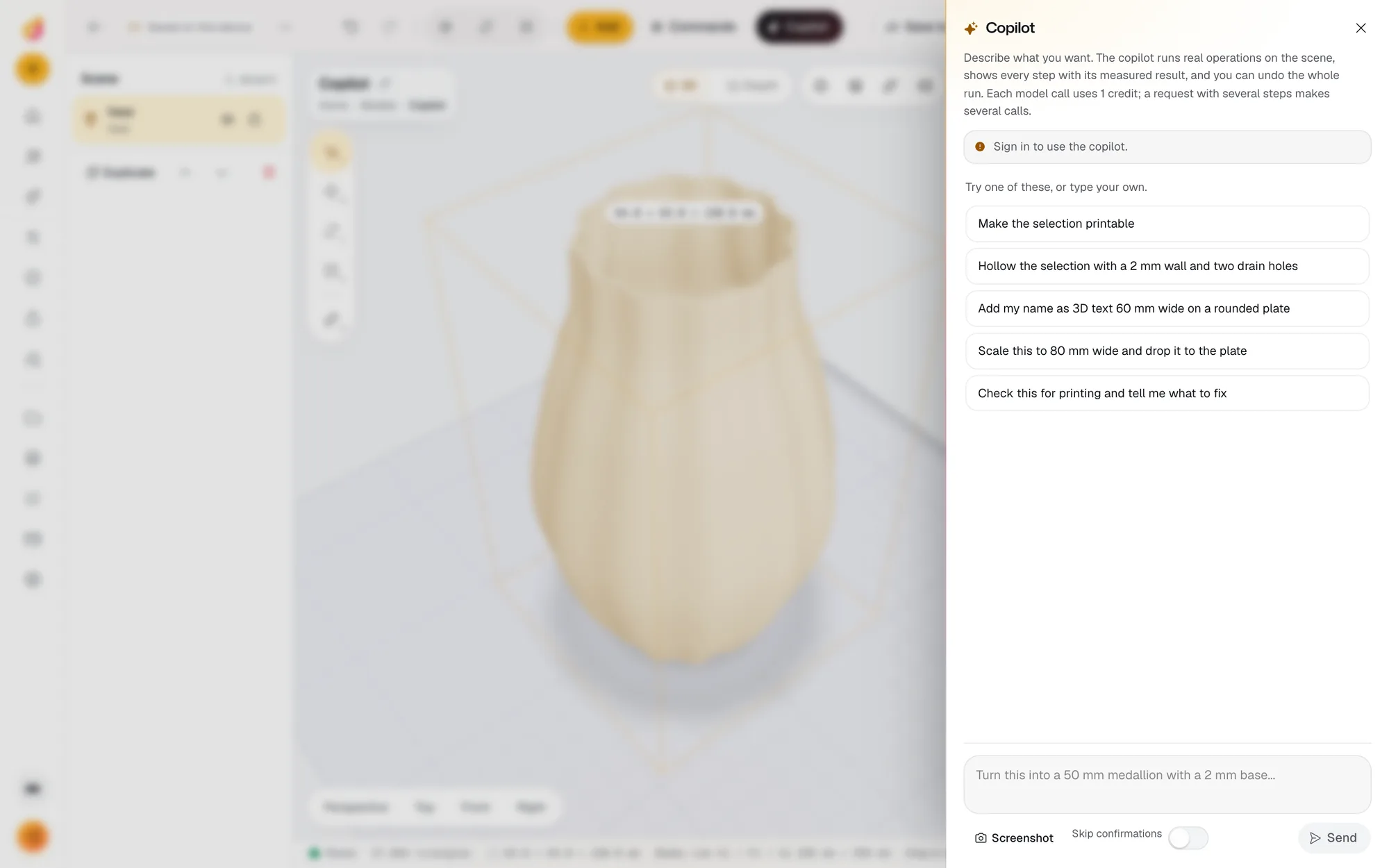
- The model opens in the Studio editor at 60 mm on its longest side, repaired if it is not a closed solid, so you can cut, hollow, add text and check it before export.
- Start it from Add, AI, Describe a 3D model, or ask the copilot; both ask before spending credits.
- Input
- A description of 1 to 600 characters
- Model
- Tripo H3.1 on fal.ai, textures off
- Price
- 12 credits a model
- Time
- Usually one to three minutes per job; the job keeps running if you close the tab
- Result
- A mesh up to 60 MB, repaired on import if it is not a closed solid, scaled to 60 mm on its longest side and centred on the plate
- Privacy
- The description is stored as a small private file for the job, sent to fal.ai, and deleted once the model is stored
- Copilot
- The copilot can start the same job from a chat request; it asks for your confirmation first
- After generation
- Every Studio operation: cut, hollow with drain holes, boolean, repair, simplify, emboss or engrave text, base plate, array
- Export
- STL, 3MF, OBJ, GLB, PLY, or an SVG or DXF outline; 5 credits an export
- Account
- Free account; 50 credits a month on the free plan, Maker $5 a month for 1,200
How to make a 3D model from text
- 1
Open it
Open text to 3D, or Add, AI, Describe a 3D model in any project. Sign in with a free account.
- 2
Describe one object
Say its shape, parts and style in up to 600 characters, and ask for a flat base if it should stand on the plate.
- 3
Wait for the model
The cloud job usually takes one to three minutes. You can close the tab; the result opens from Activity.
- 4
Make it printable
Set the size in mm, cut a flat base, hollow it, add a name, then read the checks and the print estimate.
- 5
Export
Export STL or 3MF for your slicer, or OBJ, GLB or PLY for other programs.
Words in, a printable model out
Type what you want, such as a low poly fox sitting upright with a flat base, and Studio sends it to Tripo H3.1 on fal.ai. One to three minutes later the model sits on your build plate in millimetres. The editing, repair and print checks you need next are in the same tab, so there is no download, convert and reimport loop before the slicer.
Write a description that prints
- One object. One thing per model works best.
- Shape, parts, style. "A chunky owl figurine, big round eyes, feet on a flat oval base, smooth surfaces."
- Ask for a base. A flat base saves a cut later and helps the model stand.
- Skip colours. Textures are off, so the model comes back without colour.
- Stay under 600 characters. That is the limit for one description.
Make it printable
Generated models need the same finishing as any download:
- Set its height in mm in the inspector.
- Cut a flat base, or add a base plate.
- Hollow a large model with a 2 mm wall and drain holes.
- Emboss a name or a date.
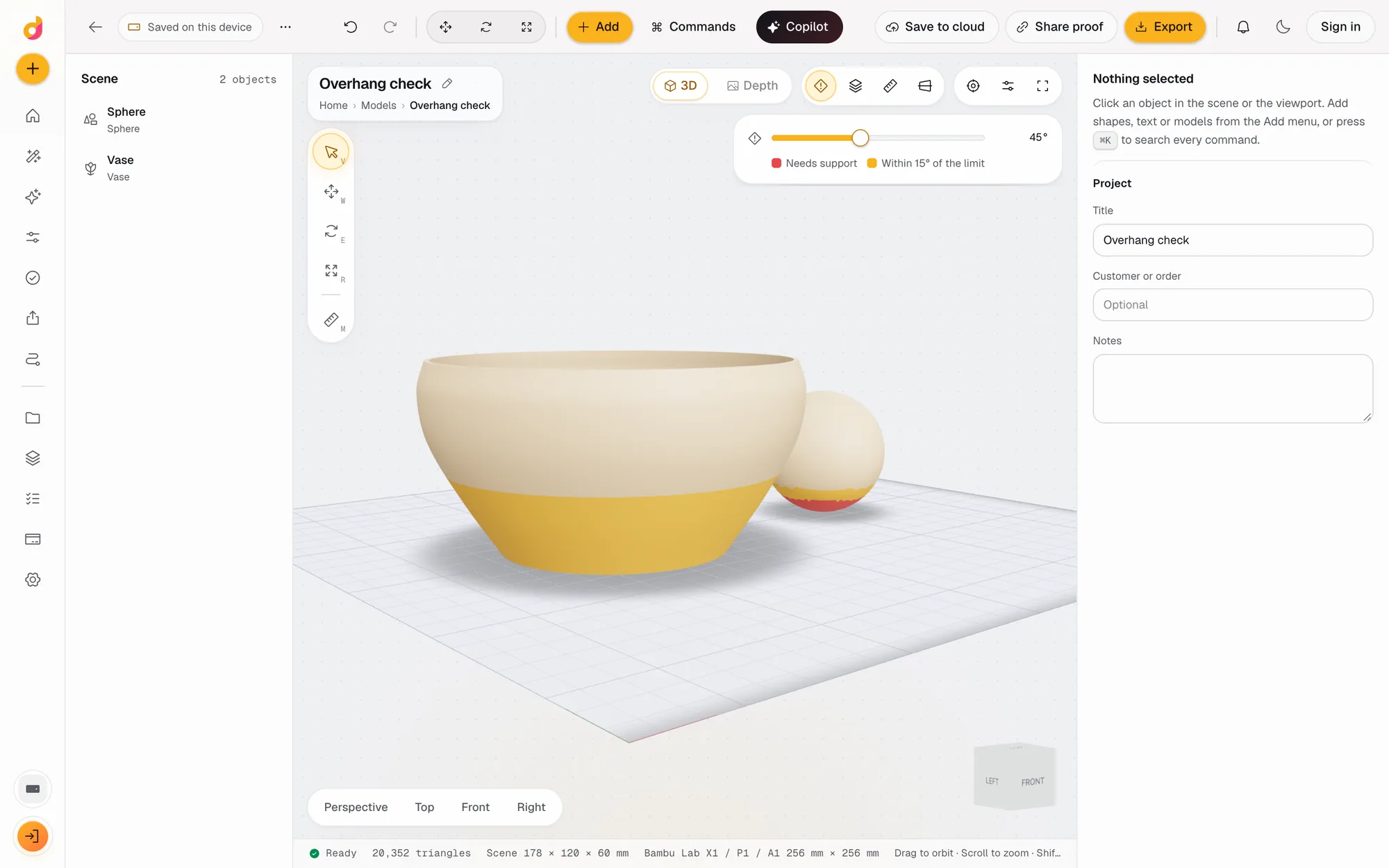
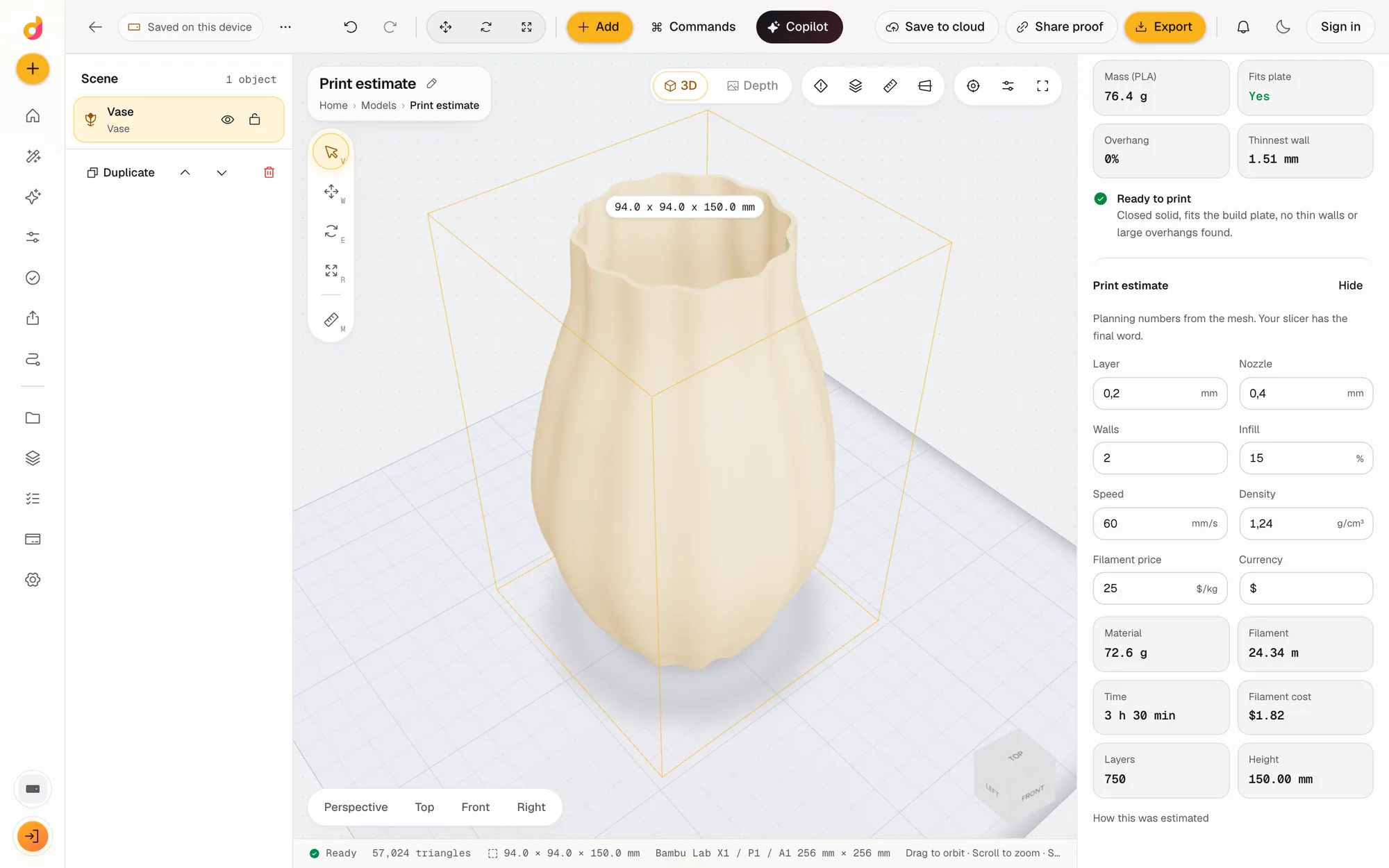
- Read the print checks: closed solid, plate fit, overhangs and thinnest wall, then the print estimate.
From the copilot
The copilot can start the same job. Ask for a model in a sentence; it waits for your yes before spending the credits, and the model joins the scene when the job finishes. Then ask it to scale, hollow or check the model, and each step lands in the operation stack where you can change it by hand.
When text to 3D is the wrong tool
- Exact sizes. For brackets, boxes, gears and bins, a parametric part or a scripted part hits the numbers every time.
- Lettering. For a name or a sign, use 3D text in Studio or the free text to STL generator.
- A real object you can photograph. Image to 3D starts from the photo and keeps closer to it.
Questions
Can I make a 3D model from text for free?
Yes, within the free allowance. The free plan has 50 credits a month and needs no card. A model is 12 credits and an export 5, so about two models with exports fit in a month. Maker is $5 a month for 1,200 credits.
What AI model does it use?
Tripo H3.1, run on fal.ai with textures switched off. Studio asks for geometry only because the result is meant to be printed, not rendered.
Is text to 3D the same as 3D text?
No. Text to 3D builds an object from a description, like a fox sitting on a rock. To print letters or a name, use 3D text in Studio or the free text to STL generator, which gives exact fonts and sizes.
How do I write a good description?
Describe one object: its shape, its parts and its style, for example a low poly fox sitting upright, smooth surfaces, flat base. Ask for a flat base if it should stand on the plate, and leave out colours: the model comes back without them.
Can it make a part with exact dimensions?
Not reliably. AI generation invents shapes; it does not hit a 6 mm hole 8 mm from an edge. For exact parts, use the copilot's editing tools, a parametric part or a scripted part, then add the generated model as decoration if you want one.
Can I sell prints of the model?
Studio's terms let you use outputs commercially when you have the necessary rights, on every plan including Free. There is no attribution licence on free models.
Also in Depthue Studio
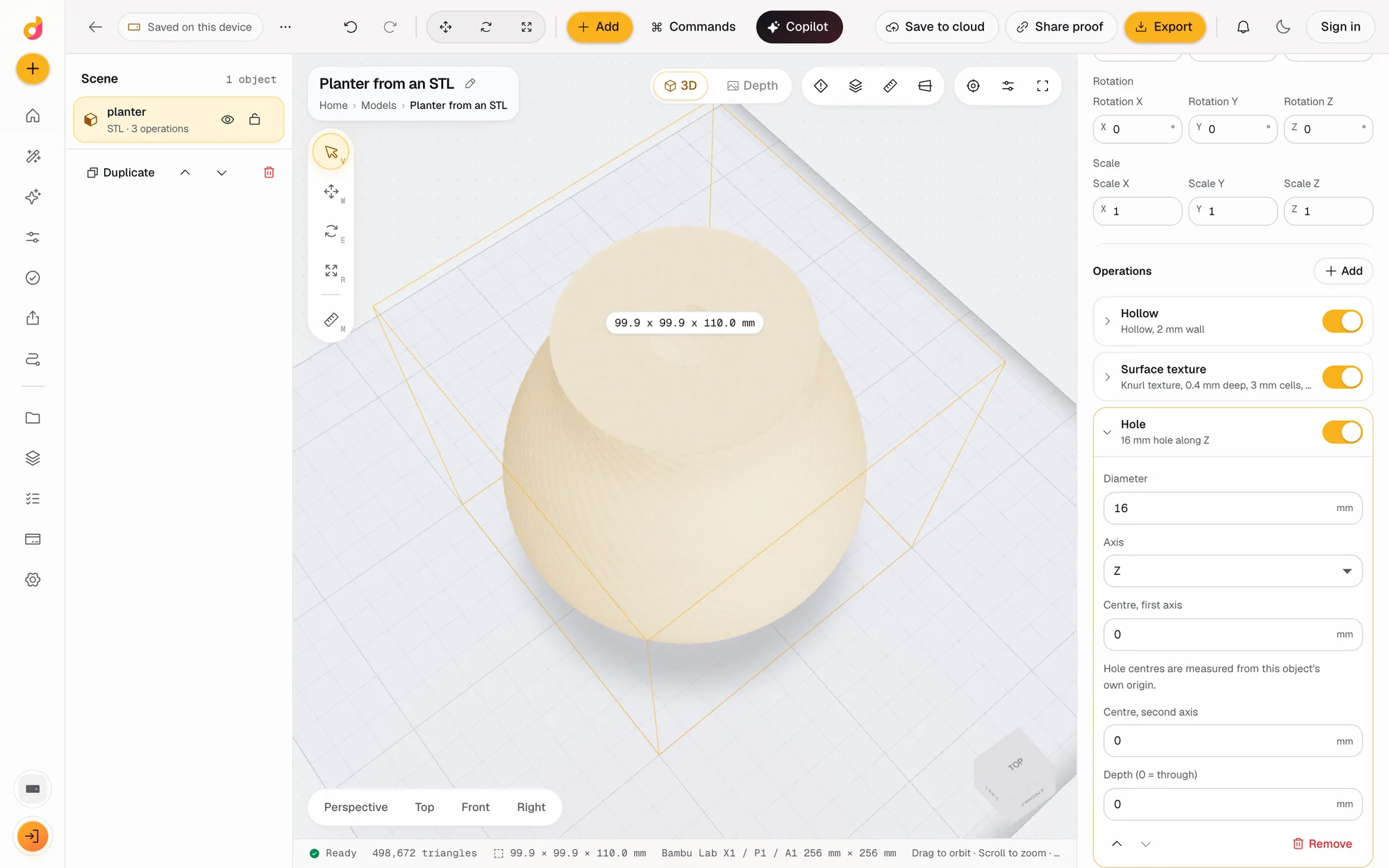 Image to 3DTurn one photo into a 3D model with AI, then repair, cut, hollow, check and export it as STL or 3MF for 3D printing in one browser tab. From 3 credits.See how it works
- AI copilotDescribe a part in plain words and the Depthue Studio copilot runs the real steps: shapes, text, cuts, hollowing, checks and exports, with one-click undo.See how it works
- STL editorEdit STL files online: scale to exact millimetres, cut, hollow, combine, add text and holes, repair and simplify, then export STL or 3MF. Free to start.See how it works
Read next

3D printing
How to Make a 3D Model From a Single Image With AI (2026)
Turn one image into a printable 3D model with AI: preparing the image, Hunyuan3D vs Meshy vs Tripo, licensing, and making the mesh watertight for printing.
September 21, 2026 2 min read
3D printing
How to Make an STL File: 6 Ways, From Scratch or From What You Have
How to make an STL file for 3D printing for free: model it, build it from settings, turn a photo, logo or text into one, convert a CAD file, or use AI.
November 4, 2026 4 min read
Describe a 3D model.
It runs in your browser and the free plan needs no card. Paid plans from $5 a month add credits, storage and projects.