
DepthGen Pro for macOSNative Apple Silicon depth maps, accelerated with Metal
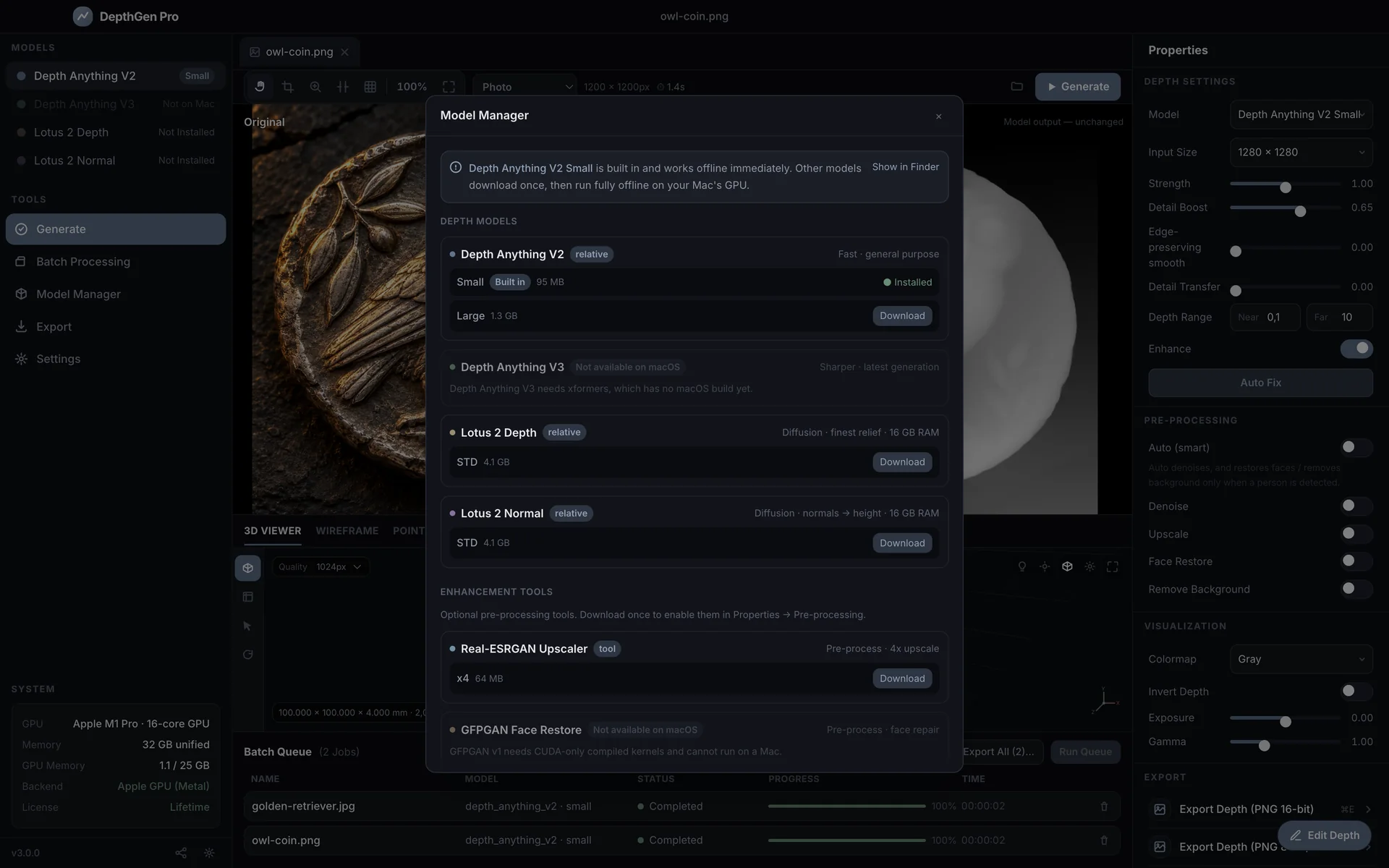
DepthGen Pro for macOS is a native Apple Silicon depth map generator. It runs the AI model on your Mac's GPU through Metal, entirely offline, and exports 16-bit PNG, EXR, STL, OBJ and 3MF for laser, CNC and 3D printing. One payment, lifetime licence.
- Opens
- JPG, PNG, WEBP, BMP, TIFF, HEIC
- Exports
- PNG 8-bit, PNG 16-bit, EXR 32-bit, STL, OBJ, 3MF
Lifetime licence. Version 3.0.
- Instant download and licence key by email
- One key activates Windows and macOS
- Every future update included
- Commercial use allowed
14-day refund
Delivered instantly
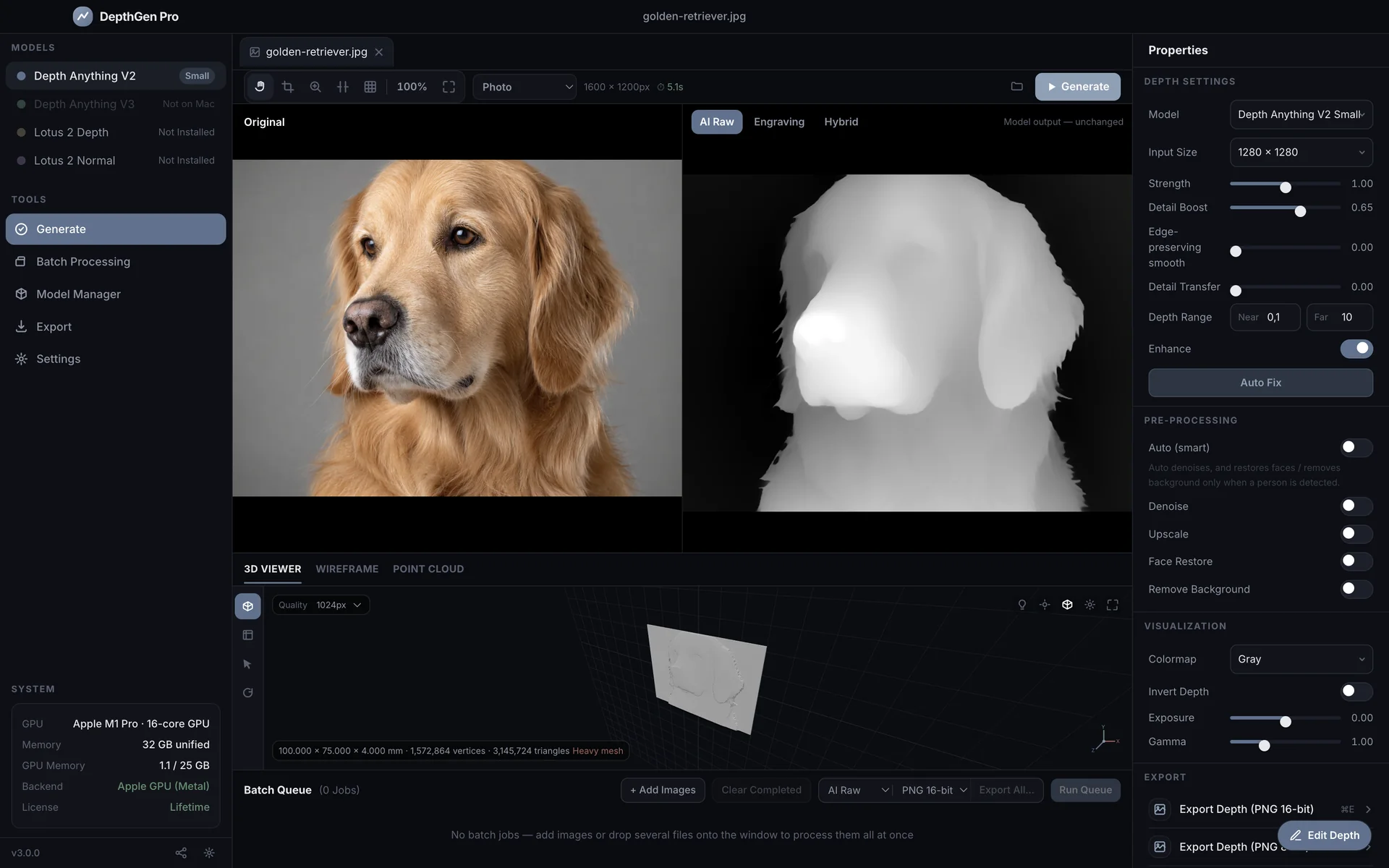
Built for the files people actually cut.
Every control maps to physical depth, and every export opens in the software you already use.
Your GPU does the work
PyTorch runs on Apple's Metal Performance Shaders, so the M-series GPU carries the depth model. The sidebar shows the active backend, so you always know acceleration is on.
The same engine as Windows
Depth engine, relief reconstruction and export geometry are the same code. Metal output was verified against a CPU reference to within 1.5 × 10⁻⁶ relative error, so the same photo gives the same map on either platform.
Mac details done properly
HEIC, HEIF and TIFF open directly. ⌘V pastes, ⌘E exports a 16-bit PNG, ⇧⌘E exports the STL. EXIF orientation is honoured and the build is signed and notarized.
Photometric relief engine
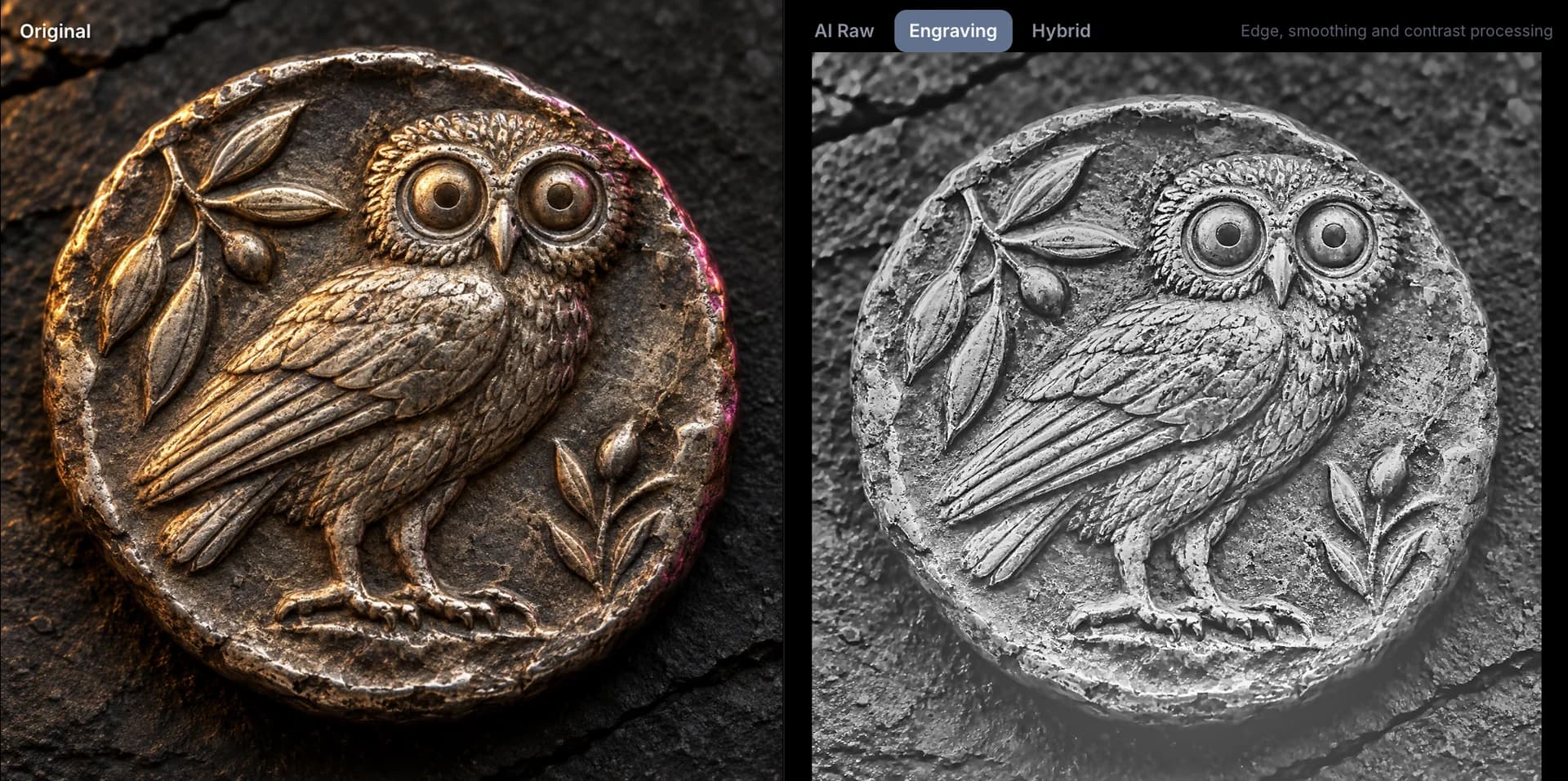
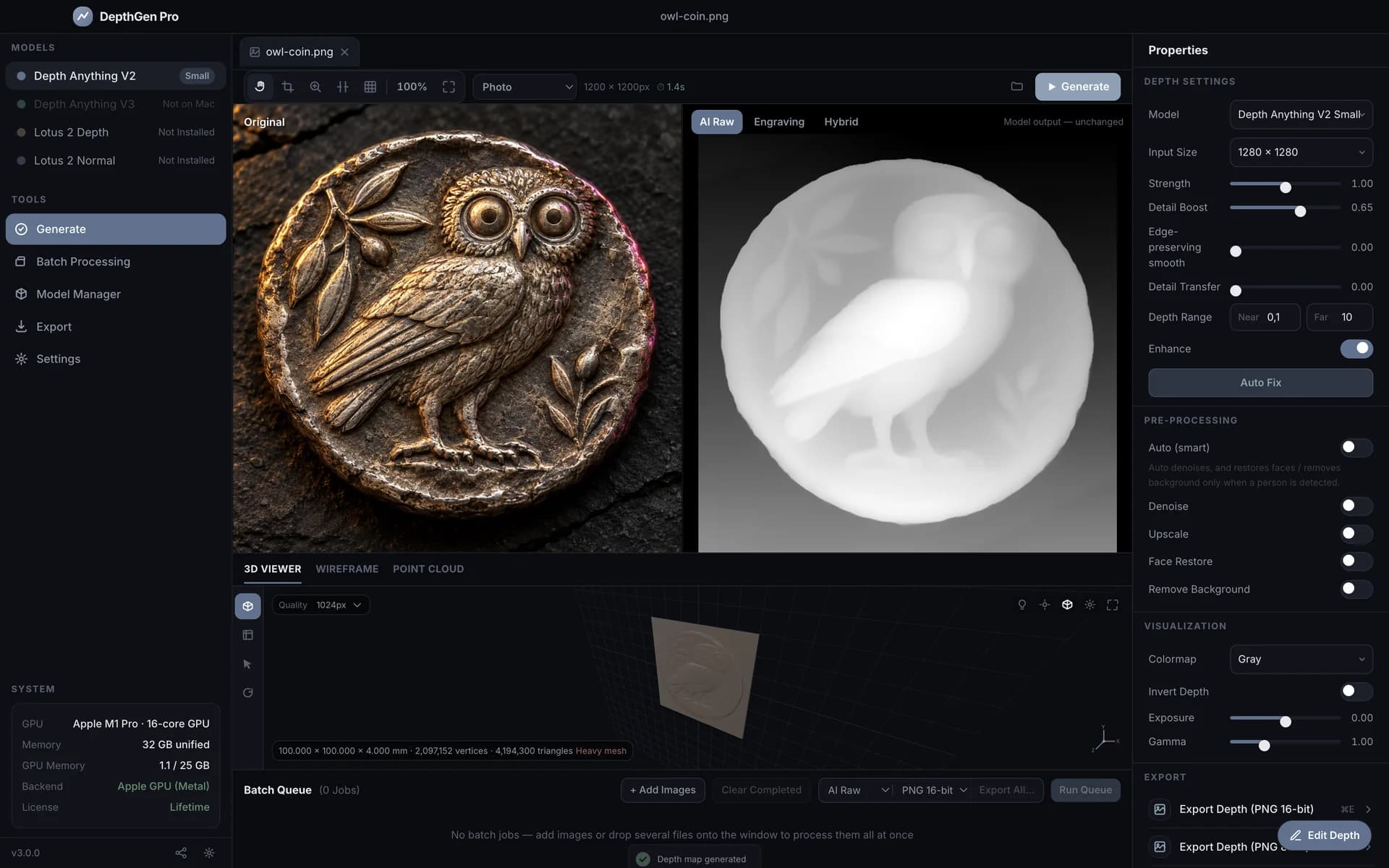
A generic depth model reads a coin as one flat plane. DepthGen Pro detects relief objects and rebuilds height from the metal's own shading, so portraits, lettering and rims survive on coins, medals, plaques and jewellery.
Non-destructive height brush
Raise, lower, smooth and restore with size, softness and strength, plus edge-preserving smoothing, exposure and gamma. Full undo and redo sit on top of the model output, so you never need Photoshop to fix a map.
Controls that map to physical depth
Strength, Detail Boost, Detail Transfer, black level, white ceiling and a near and far depth range set the real depth of the cut. Invert flips raised to recessed for negative engraving and wax seals.
Production export and batch
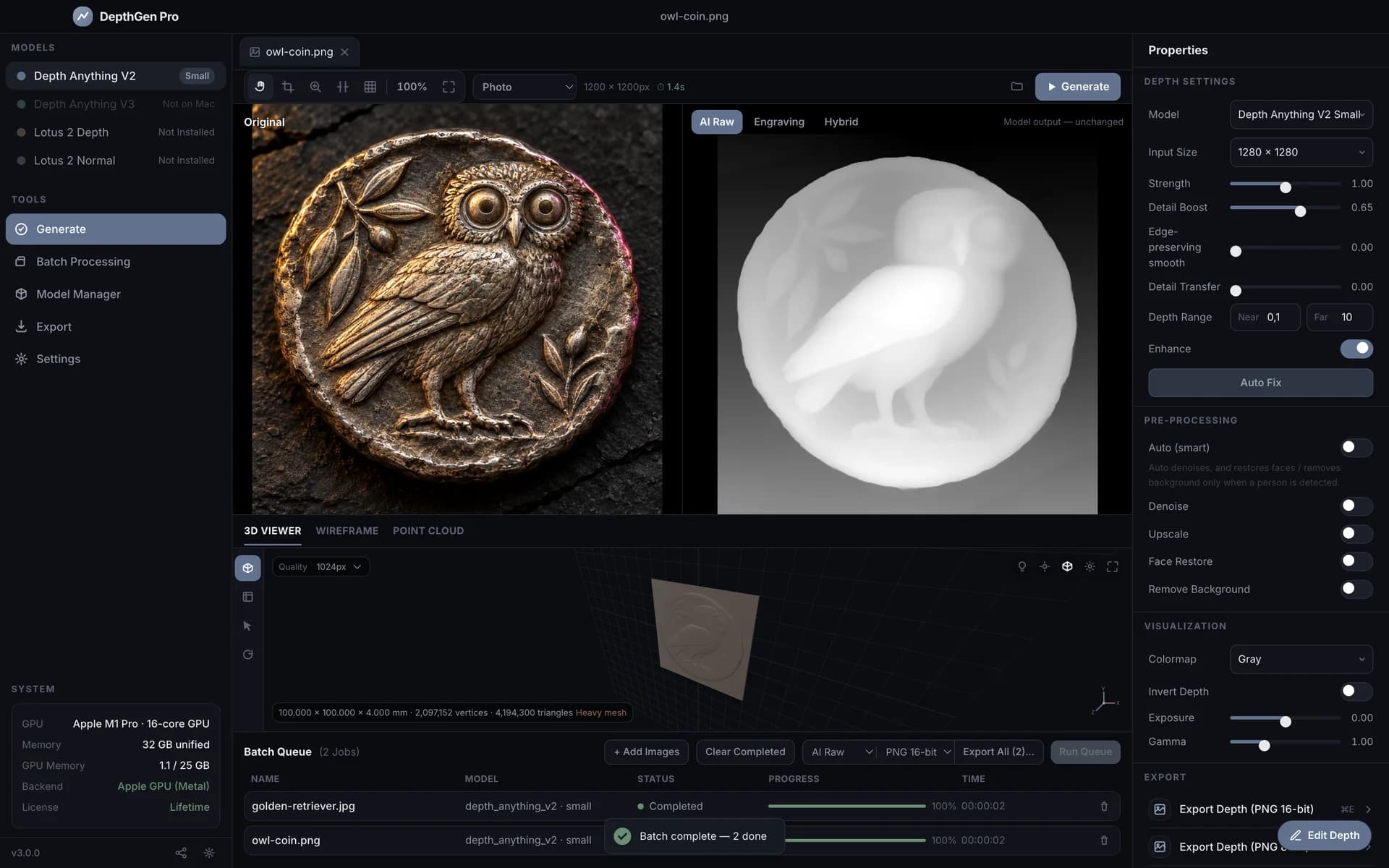
8-bit and 16-bit PNG, 32-bit EXR, and watertight STL and OBJ with plate size, thickness and smoothing. Queue fifty images, walk away, come back to a folder of finished files.
Coins are where generic depth AI falls flat.
From a camera's point of view a coin is one flat plane, so a standard model reports one plane and the portrait, lettering and rim disappear. DepthGen Pro detects relief objects and rebuilds height from the metal's own shading, the principle mint engravers have used for two centuries.
- Coins, medals and challenge coins
- Carved plaques and jewellery
- Wax seals and embossed logos
A closer look.
Works with your software
Standard files, standard convention: white is raised, black is deepest. Nothing to convert on the way in.
Laser
- LightBurn for Mac (3D Sliced mode)
- xTool Creative Space
CNC and CAM
- Carbide Create
- Fusion
- Easel
- Vectric Aspire on a shop PC
Slicers
- Bambu Studio
- OrcaSlicer
- PrusaSlicer
- Cura
Image editors
- Photoshop
- Affinity Photo
- Pixelmator Pro
- GIMP
Requirements
- Chip
- Apple Silicon: M1, M2, M3 or M4
- macOS
- 14.0 Sonoma or later
- Memory
- 8 GB minimum, 16 GB for Lotus 2
- Disk
- 526 MB download, about 1.5 GB installed
Included
- DepthGen Pro for macOS, signed and notarized, plus the Windows build on the same key
- Lifetime licence, never expires
- Depth Anything V2 bundled, Lotus 2 on demand
- Photometric relief engine
- Height brush with ⌘Z undo and redo
- PNG 8-bit and 16-bit, EXR, STL, OBJ and 3MF export
- Batch processing
- Every future update
What it does not do
- Depth Anything V3 is not available on macOS: it depends on a GPU library with no Mac build. V2 and Lotus 2 cover the same work.
- Face restoration (GFPGAN) and background removal are not included on macOS.
- Apple Silicon is the supported configuration. Email support before buying for an Intel Mac.
Looking for the other platform? DepthGen Pro uses the same licence key.
Before you buy
Anything else? Ask support.
Does DepthGen Pro run natively on Apple Silicon?
Yes. It is a native arm64 app for M1, M2, M3 and M4 Macs and runs the depth model on the GPU through Metal. There is no Rosetta translation and no virtual machine.
Is DepthGen Pro a one-time payment?
Yes. You pay once and the licence never expires. There is no subscription, no credit system and no renewal date, and updates are included.
Does it work offline?
Yes. You need the internet once to download the app and activate the licence. After that every depth map is generated on your own computer and no image is ever uploaded.
Does one licence cover Windows and macOS?
Yes. The licence format is shared, so the same key activates the Windows build and the Apple Silicon build. Your receipt includes both download links.
What is the difference between 8-bit and 16-bit export?
An 8-bit PNG stores 256 depth levels, which is enough for most laser and CNC jobs. A 16-bit PNG stores 65,536 levels, which only pays off when your workflow can use more than 256 steps, such as LightBurn 3D Sliced jobs above 256 passes.
Will the STL slice cleanly?
Yes. Exported STL files are watertight, with a solid base plate and sealed side walls, and they keep your image's aspect ratio. They open without repair in Bambu Studio, OrcaSlicer, PrusaSlicer and Cura.
Can I use it for commercial work?
Yes, without restriction. Process client photos, sell the engravings, carvings and prints, and keep all of the revenue.
What if it does not do what the page says?
Email support within 14 days of purchase and you get a full refund. No forms, no argument.
Will macOS block the app?
No. The app is signed with a Developer ID and notarized by Apple, so it opens with a double-click like any other Mac application.
Can I open photos from my iPhone?
Yes. HEIC and HEIF open directly next to JPG, PNG, WEBP, BMP and TIFF, and you can paste an image with ⌘V.
DepthGen Pro for macOS, $39.99 once.
Pay once, keep it forever, and refund it within 14 days if it does not do what this page says.