How to Make a Lithophane From a Photo (Settings That Work)
How to make a lithophane from a photo: image choice, thickness, size, flat or curved panels, slicer settings for white PLA, and fixing flat or dark prints.
By Depthue Lab2 min read
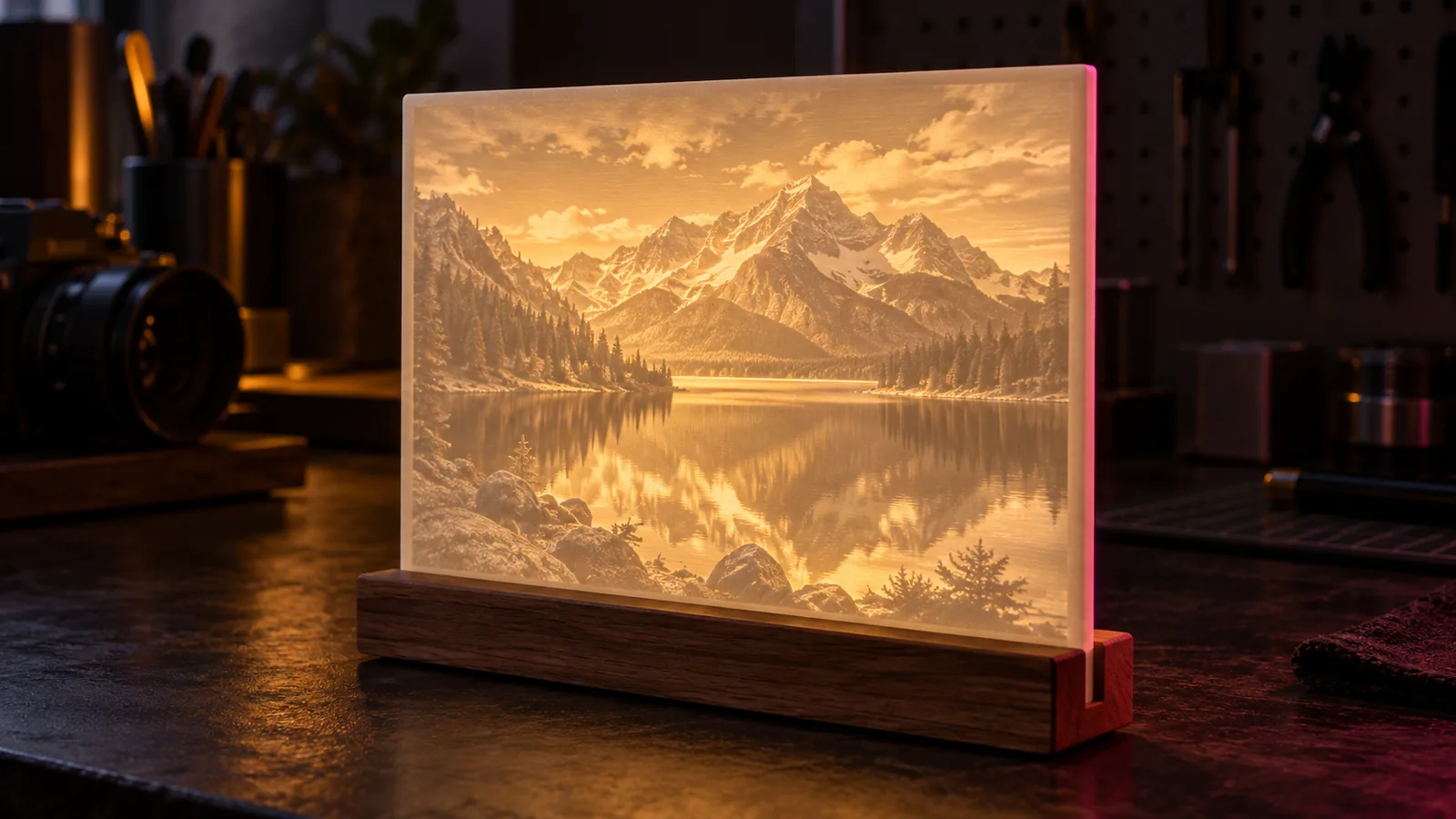
A lithophane is a photo you can only see with light behind it. The print is a thin panel whose thickness follows the image: thick where the photo is dark, thin where it is light. Held up to a lamp, the plastic glows through in exactly the right places.
1. Pick a photo that will survive the translation
Lithophanes turn brightness into thickness, so the photo's tones matter more than its colors.
- Good contrast, detail in the shadows. Very dark areas all print at maximum thickness and merge into one block.
- A clear subject. Faces, pets and landscapes with a defined horizon work best.
- Not too small. Tiny details below the nozzle's width disappear.
Brighten shadows slightly before you start. A photo that looks a little flat on screen often makes a better lithophane.
2. Convert it to a lithophane STL
The free image to STL tool does this in your browser. Choose Lithophane, set the size and thickness, and preview it backlit before you download.
Starting settings:
| Setting | Value | Why |
|---|---|---|
| Thinnest | 0.8 mm | Bright highlights without holes |
| Thickest | 3.0 mm | Deep shadows |
| Frame | 3 mm | Stiffness and a clean edge |
| Sample spacing | 0.25 mm | Matches a 0.4 mm nozzle |
| Width | 100 to 150 mm | Enough size for detail to read |
Other good free makers exist: ItsLitho and 3DP Rocks both run online and support curved and shaped designs.
3. Flat or curved?
A flat panel is the classic choice and the easiest to print. A curved lithophane stands on its own, hides a light source behind it and reads well from a wider angle. The tool's curved option wraps the panel around an arc and outputs it standing upright, ready to print.
4. Slice for a clean glow
- Filament: white PLA, matte or standard. Avoid silk.
- Layer height: 0.12 mm (0.08 for maximum detail).
- Infill: 100 percent. Infill patterns show through the light.
- Walls: enough to fill the thickest area solid; many slicers do this automatically at 100 percent infill.
- Orientation: upright for the best detail, with a brim; flat for small or thin panels.
- Speed: slow, around 30 to 40 mm/s.
5. Fix what went wrong
| What you see | Likely cause | Fix |
|---|---|---|
| Image looks flat and gray | Thickness range too small | Increase the thickest value |
| Shadows are one dark blob | Photo too dark | Brighten shadows, lower contrast |
| Visible grid or pattern | Infill below 100 percent | Print at 100 percent infill |
| Holes in highlights | Thinnest value too low | Raise to 0.8 mm or more |
| Blurry detail | Sample spacing smaller than the nozzle can print | Use 0.25 to 0.3 mm |
Beyond white: color lithophanes and filament paintings
If you want color, you have two routes: color lithophanes, which layer a color image over the white thickness map, and filament paintings, HueForge style, which stack colored filaments by height. For the second, see how to plan color swap heights, or let VoxelPrime plan the colors for you.
Free tools for this job
Frequently asked questions
What is a lithophane?
A lithophane is an image formed by varying the thickness of a translucent material. Thick areas block light and look dark, thin areas let light through and look bright. The technique dates from 19th-century porcelain and is now popular in 3D printing.
What is the best thickness for a lithophane?
0.8 mm for the thinnest areas and 3 mm for the thickest is a reliable start for white PLA. Thinner minimums brighten highlights but can print fragile; thicker maximums deepen shadows.
Should I print a lithophane flat or upright?
Upright gives the best detail because the nozzle draws the image's outline on every layer, but it needs good bed adhesion and a brim. Flat is easier and fine for small panels.
Which filament is best for lithophanes?
Plain white PLA. Glossy, silk and colored filaments scatter light unevenly. Some makers prefer natural or translucent white for brighter results.