Customer Proof Approval for Custom Engraving Orders
What a proof for a custom engraving, coin or plaque order must show, how to ask for a clear yes, and how to handle revisions without remakes or disputes.
By Depthue Lab3 min read
A customer proof is the exact design you will engrave, carve or print, shown to the customer before production with a clear way to approve it or ask for changes. For custom engraving, coins and plaques, a good proof shows the real size, every word exactly as it will be cut and a version number, and the approval is recorded against that version. If anything changes after approval, it needs a new proof.
That sounds like paperwork. In practice it is the cheapest quality control a personalization shop has.
Why proofs matter more for engraving and relief
- Mistakes are permanent. Wood, metal and stone do not have an undo. A wrong date is a new blank.
- Machine time is real. A relief carve or a deep fiber engraving can occupy a machine for an hour or more. A remake costs that twice.
- Names are personal. A misspelled name on a memorial plaque is not a cosmetic error to the person receiving it.
- Customers imagine differently. "A portrait of my dog" means a specific dog, a specific angle and a specific feeling. The proof is where you find out which.
What a proof must show
| Include | Why |
|---|---|
| The real dimensions | "50 mm" on a screen can look like a dinner plate. State the size and show it to scale |
| Every word exactly as it will be cut | Names, dates, punctuation, capitals and line breaks. Customers proofread what they see |
| The layout and orientation | Where the text sits, which way is up, what is centered |
| A version number or date | So "approved" points to one design, not a conversation |
| What the proof cannot show | Wood grain, metal color and finish vary. Say so once, plainly |
| What happens next | "Approve and it ships in 5 working days" turns approval into a decision |
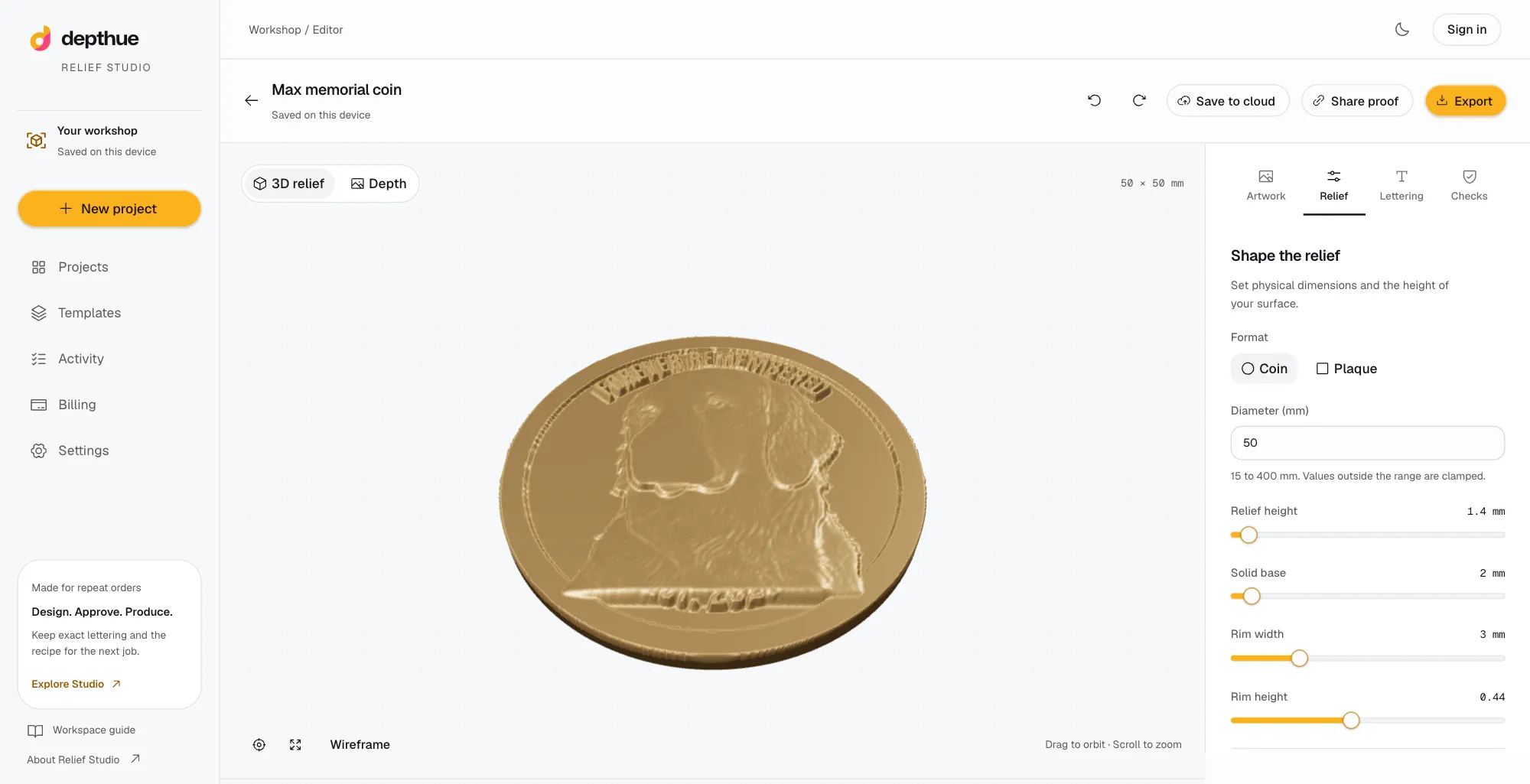
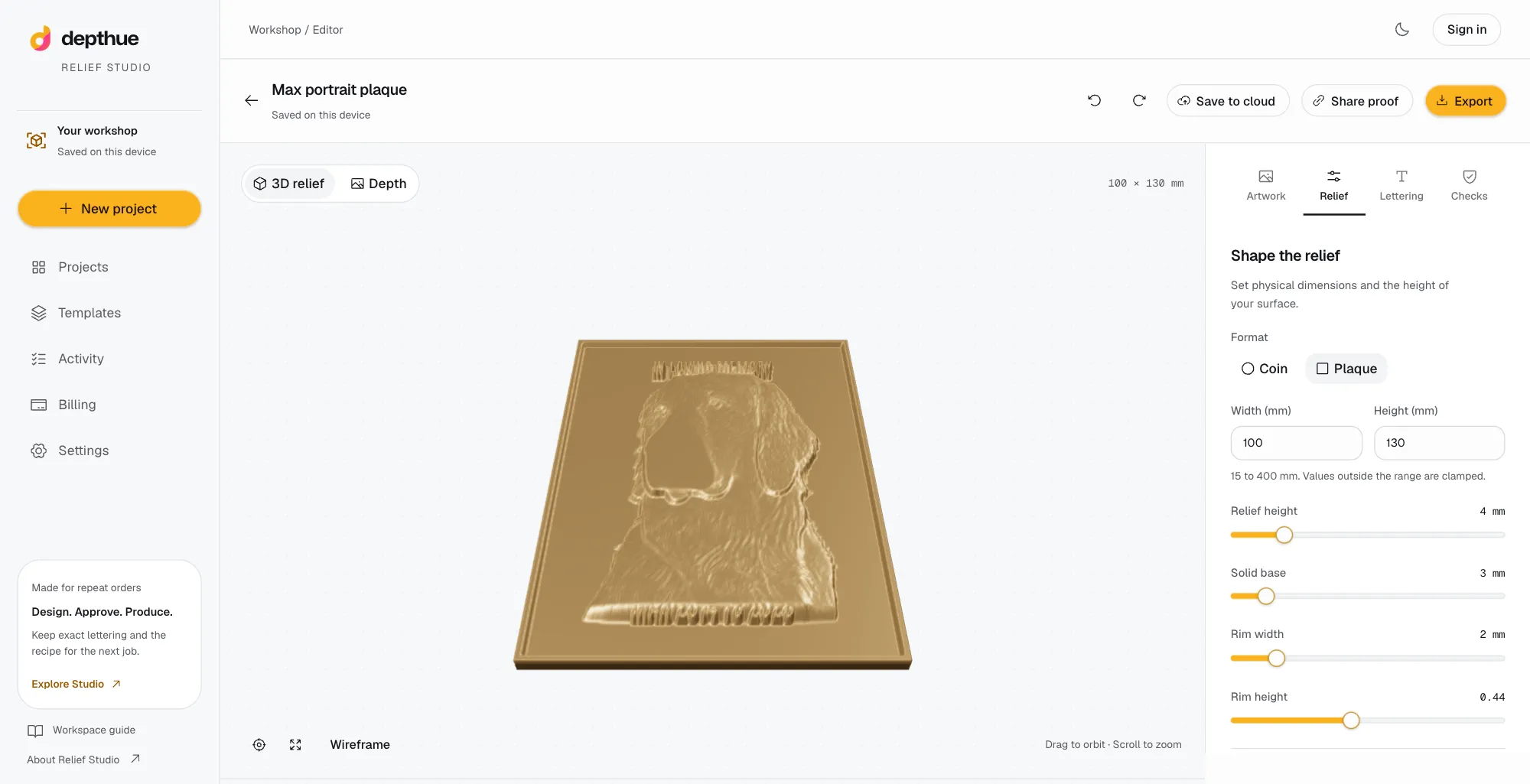
For a relief coin or plaque, a flat image undersells the work and can mislead. Shading on a 3D preview shows the form the customer will actually hold. If you can, show it from an angle as well as straight on.
How to ask for approval
Ask one question with two answers: approve, or request changes. Avoid sending five options at once; it delays decisions and invites a mix of all of them.
A message that works:
Here is the proof for your order, version 2. It is 50 mm across and the text reads MAX on top and 2014 TO 2026 below, exactly as it will be cut. Please check the spelling and dates carefully. Approve it to start production, or reply with any change. Your order ships 5 working days after approval.
Keep it short. The proof does the explaining.
Handling revisions
- Change one thing at a time when you can, so the customer can see what moved.
- A change makes a new version. Never carry an approval from version 1 over to version 2.
- Retire old links and files. An old proof that still looks approvable is how the wrong design gets cut.
- State your revision policy with the first proof, for example two rounds included.
- Confirm the final version by number before you load the job.
Keep the record
Store with the order: the approved file, the version, the customer's name, the date and their comment. If a question comes up months later, you can show what was approved, by whom and when. Treat it as a design sign-off, not a contract.
The record also pays off on repeat orders. When the same customer asks for "the same as last time", you have the exact file and settings.
Tools for proofing
| Approach | Price | Fits |
|---|---|---|
| Email or chat with an image | Free | Simple flat engraving with few changes |
| Proof Approve | Free for five proofs a month; paid plans not checked | A sign-off and revision record for flat engraving |
| CraftStage | $149 a month, Starter | Personalization shops with roster import, text fitting and a customer proof portal |
| Relief Studio | $49 every 30 days, free start | Relief coins and plaques: the proof shows the saved revision in 3D, and a new revision revokes the old link |
Prices are from each product's own page, checked October 1, 2026, and can change. Relief Studio is ours. The point of any of them is the same: one design, one recorded decision, then production.
Free tools for this job
Frequently asked questions
What is an engraving proof?
An engraving proof is a preview of the exact design a shop will engrave, carve or print, sent to the customer for approval before production. It shows the layout, size and every word as it will be cut.
Should I charge for proof revisions?
Many shops include one or two rounds of changes in the price and charge for more. Whatever you choose, state it with the first proof so the customer knows before they ask.
What if the customer approves a mistake?
An approval record shows exactly what they signed off on, which settles most disputes calmly. Whether you remake for free is your policy. Decide it in advance and say so in your terms.
How long should I wait for proof approval?
Give a date. A proof that says the order ships a set number of days after approval makes the customer's delay visible, and keeps your production schedule honest.
Is an approved proof a legal signature?
Usually not. A recorded approval is a design sign-off: who approved which version, when, and with what comment. Contracts and electronic signatures are a separate matter.