The Best Bas Relief Software in 2026: Photo to Relief, Compared
Software that turns a photo into a bas relief for CNC, laser and 3D printing, compared on price, files and workflow: Carveco, Aspire, DepthCarve and more.
By Depthue Lab5 min read
On this page (11 sections)
- The short list
- 1. Relief Studio: best for custom coin and plaque orders
- 2. Carveco: best inside a CNC suite
- 3. Vectric Aspire: best for established CNC shops
- 4. DepthCarve: best for precision exports on credits
- 5. SculptOK: best one-click cloud reliefs
- 6. Bas-Relief.AI: best for prompt-driven reliefs
- 7. Tripo relief generator: best quick free relief
- 8. DepthGen Pro: best offline, one payment
- 9. Depthue depth map generator: best free start
- How to choose
The best bas relief software depends on what happens after the relief. For custom coins and plaques that a customer must approve, Relief Studio (ours) covers the whole order. Inside a full CNC workflow, Carveco and Vectric Aspire are the established suites. For high-precision exports on credits, DepthCarve. For quick cloud results, SculptOK or Bas-Relief.AI. For offline depth maps on one payment, DepthGen Pro (ours).
Every tool below turns an image into a bas-relief, but they stop at different points: some hand you a depth map, some a mesh, some a finished file plus a customer's sign-off. Prices and features come from each product's own page, checked October 1 and 2, 2026. Depthue makes Relief Studio and DepthGen Pro; they are labeled as ours.
The short list
| Tool | Price | Gives you | Best for |
|---|---|---|---|
| Relief Studio (ours) | $49 every 30 days, 5 free cloud jobs | Coin or plaque STL, OBJ, 16-bit PNG, customer proof | Custom coin and plaque orders |
| Carveco | Maker announced at $17.50 a month | AI relief inside a CNC suite | Carvers who want relief and toolpaths in one program |
| Vectric Aspire | Not listed on the product page | Relief modeling and toolpaths | Established CNC shops |
| DepthCarve | Free tier, packs from $12, $29 a month | True 16-bit PNG, EXR, watertight STL | Precision exports on credits |
| SculptOK | 100 free credits, then $19 to $75 a month | Depth maps and HD relief exports | One-click cloud reliefs |
| Bas-Relief.AI | Pay as you go, $9 minimum top-up | STL, SVG and PNG depth | Prompt-driven relief, occasional use |
| Tripo relief generator | Basic use free | STL and OBJ | A quick free relief |
| DepthGen Pro (ours) | $39.99 once | 16-bit PNG, EXR, STL, OBJ | Offline depth maps and batches |
| Depthue depth map generator (ours) | Free | PNG and STL | Trying it with no account or upload |
1. Relief Studio: best for custom coin and plaque orders
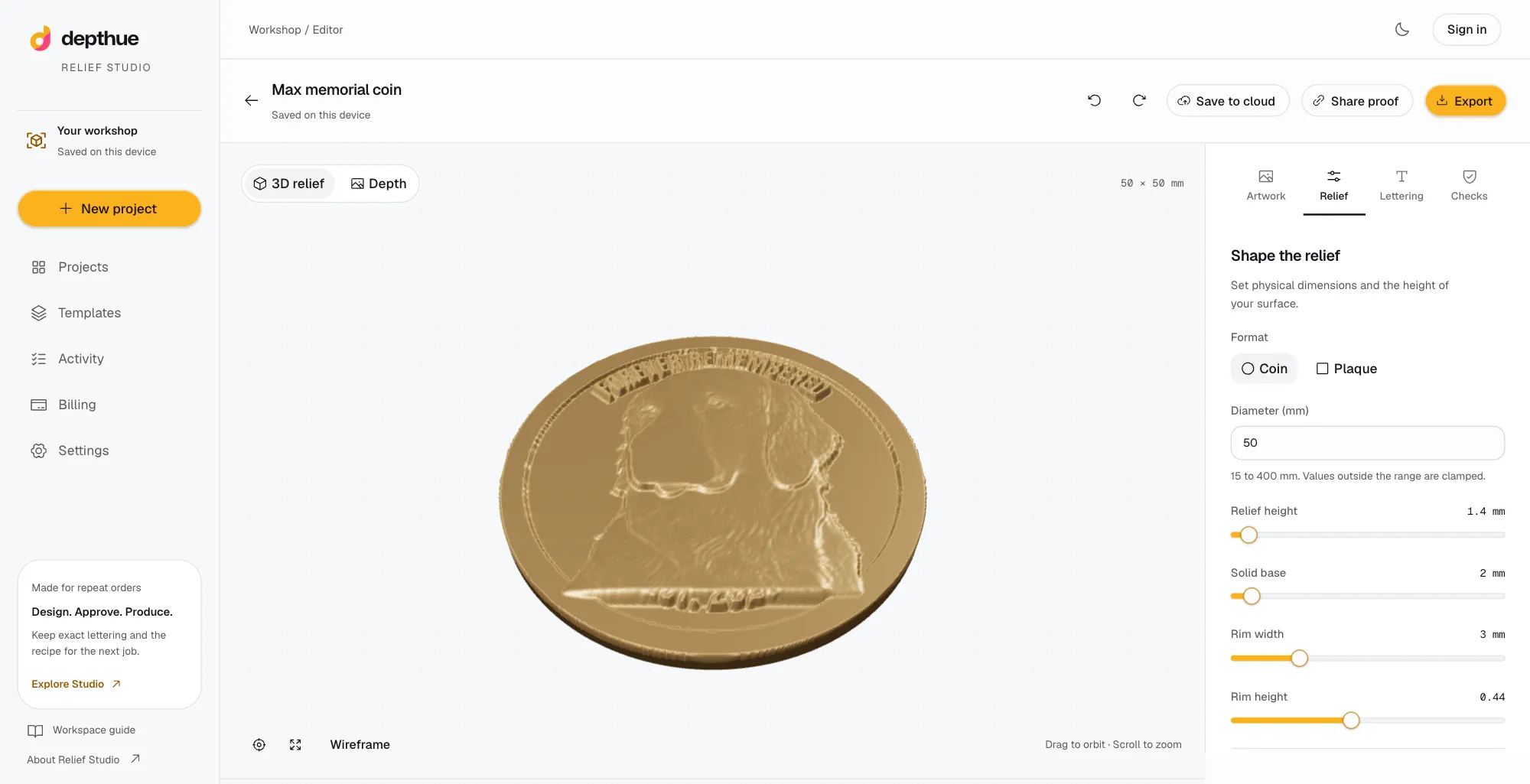
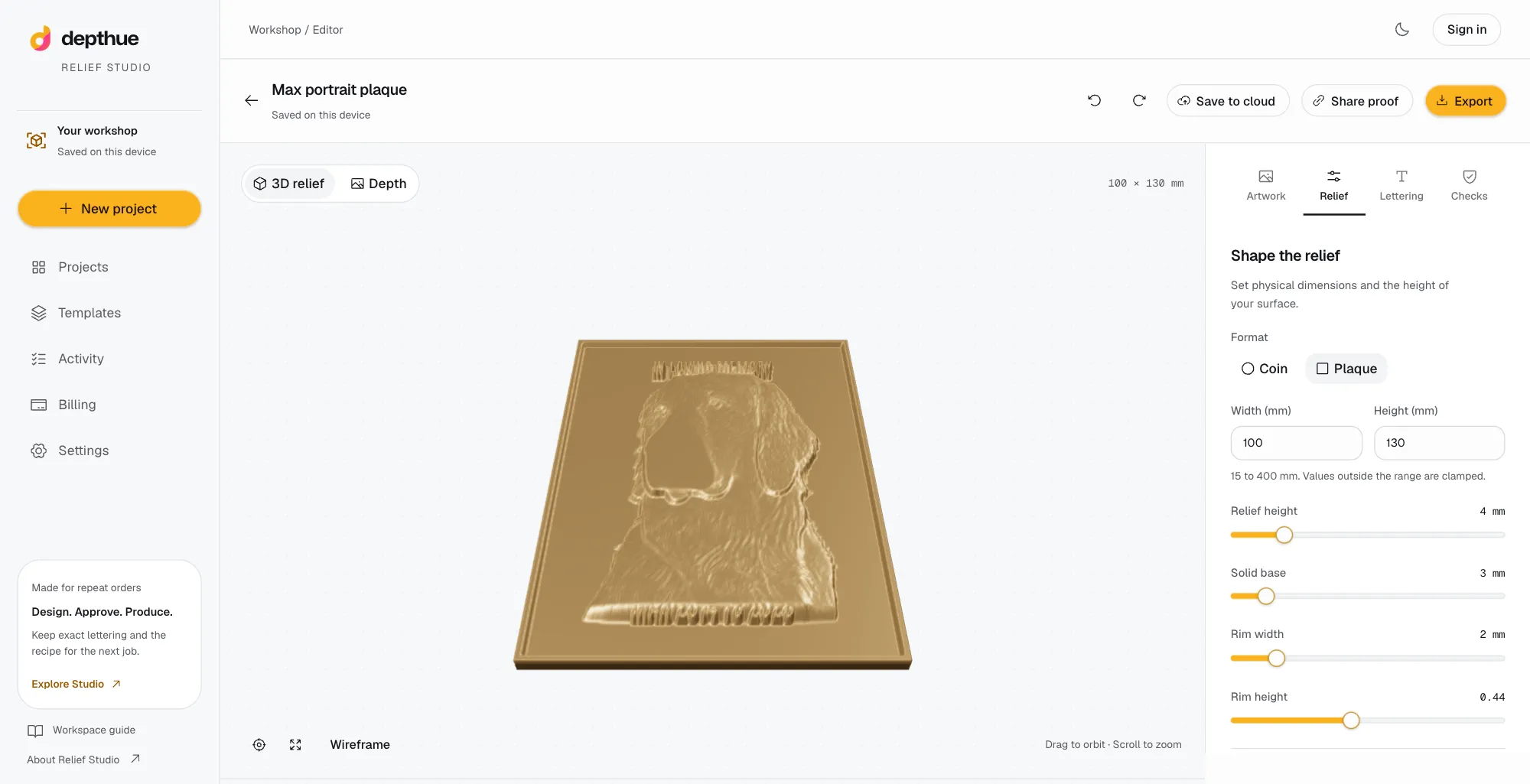
Relief Studio is a browser workspace built around a commission rather than a single image. A customer photo becomes an editable relief on a round coin or rectangular plaque sized in millimeters. Names and dates are added as lettering drawn by code, so changing a date never regenerates the portrait. The customer approves a private 3D proof of one saved revision, and the export is a production package: watertight STL, OBJ, 16-bit grayscale PNG, Float32 depth and the recipe.
- Price: $49 every 30 days with 30 cloud depth jobs. A free account starts with 5 cloud jobs and no card. Local AI, editing and exports use no cloud jobs.
- Strengths: exact lettering, versioned approvals, templates for repeat orders, local-first processing.
- Limits: coins and rectangular plaques only, a 384 sample height field, no toolpaths or machine control.
2. Carveco: best inside a CNC suite
Carveco is CNC design and machining software with AI image-to-relief and text-to-relief. Its FAQ says the generation methods, Fidelity and Forge, are identical across Maker, Maker Plus and Pro. Maker and Maker Plus are limited to 2,000 x 2,000 points and Pro supports 4,000 x 4,000, and Maker Plus and Pro add sculpting and finishing tools.
- Price: Carveco announced Maker at $17.50 a month in its June 2025 pricing post. Check the current price on its site.
- Strengths: relief generation and toolpaths in one program.
- Limits: a full CAD/CAM suite to learn; customer approval is outside its listed scope.
3. Vectric Aspire: best for established CNC shops
Aspire is Vectric's 3D design and toolpath software. Its product page says it can convert 2D color and black-and-white images (BMP, JPG, TIF, GIF) into 3D component textures, and it imports STL models. It lists no AI image-to-relief feature, so photo portraits usually start as a depth map made elsewhere.
- Price: not shown on the product page we checked.
- Strengths: mature relief modeling, combining components, and production toolpaths.
- Limits: a large purchase for occasional relief work; photo-to-depth is not built in.
4. DepthCarve: best for precision exports on credits
DepthCarve is a browser bas relief generator with previews, shaping and manufacturing checks. Paid exports include raw float EXR, true 16-bit PNG and a watertight STL, and the Production plan adds a parameter manifest and API calls.
- Price: a free tier with one production credit and three previews a day; one-time packs of $12 for 30 jobs and $39 for 150; Workshop at $29 a month for 250 jobs and Production at $99 a month for 1,500.
- Strengths: high-precision output, flexible packs, an API.
- Limits: you upload the image; lettering and customer approval are not listed.
5. SculptOK: best one-click cloud reliefs
SculptOK makes depth maps and bas reliefs in the cloud, with background removal and HD restoration.
- Price: a 100-credit free trial with no card, then Pro at $19, Master at $35 and Ultimate at $75 a month, about 17 percent less billed yearly. Pro lists 400 credits, about 20 HD downloads. Unused credits carry over.
- Strengths: fast results with little setup.
- Limits: credits per result, and every image is uploaded. See SculptOK alternatives for a closer comparison.
6. Bas-Relief.AI: best for prompt-driven reliefs
Bas-Relief.AI generates reliefs from prompts and images, with STL relief, SVG vector and PNG depth exports.
- Price: pay as you go with a $9 minimum top-up and no subscription. It lists up to three free generations a week.
- Strengths: no monthly commitment, vector output for linocut-style work.
- Limits: per-generation cost is not listed on the pricing page.
7. Tripo relief generator: best quick free relief
Tripo, a larger AI 3D platform, offers a relief generator with adjustable relief and STL and OBJ output. When we checked on October 1, basic generation was advertised as free without an account.
- Strengths: free and fast for a one-off.
- Limits: a general tool; no physical sizing workflow, lettering or approvals are listed.
8. DepthGen Pro: best offline, one payment
DepthGen Pro is Depthue's desktop depth map generator for Windows and macOS. It runs Depth Anything V2, V3 (Windows) and Lotus 2 offline, has a photometric relief engine for photographs of coins and medals, a height brush, and exports 8 and 16-bit PNG, EXR, STL and OBJ, with batch processing.
- Price: $39.99 once, lifetime licence. The Windows and macOS editions are sold separately, each with its own licence.
- Strengths: private, offline, unlimited use, batches.
- Limits: a depth tool, not an order workflow: no lettering or customer proofs.
9. Depthue depth map generator: best free start
The free depth map generator runs Depth Anything V2 in your browser. Nothing is uploaded, there is no account, and it exports PNG and a relief STL.
How to choose
- Do customers approve the design? If yes, choose a tool that ties approval to the exact file. Relief Studio does this for reliefs; flat engraving has its own tools.
- Where do toolpaths come from? If you live in Carveco or Aspire already, generate there or import a depth map into it.
- How often? A few reliefs a year fit free tiers and credits. Weekly orders fit a subscription or a one-time desktop app.
- Does the photo leave your computer? Cloud tools upload it. DepthGen Pro and the free generator do not, and Relief Studio uploads only for cloud jobs, cloud saves and proofs.
- What file does your machine need? Grayscale PNG for laser relief engraving, STL or a height map for CNC, STL for printing.
Free tools for this job
Frequently asked questions
What is the best software to turn a photo into a bas relief?
It depends on the job. Shops making custom coins and plaques for customers fit a workspace like Relief Studio. Carvers already working in a CNC suite fit Carveco or Vectric Aspire. For offline depth maps with one payment, DepthGen Pro; for occasional free use, a browser depth map generator.
Is there free bas relief software?
Yes, with limits. The Depthue depth map generator is free in the browser and exports PNG and STL. Bas-Relief.AI lists up to three free generations a week, DepthCarve a free tier with previews, and SculptOK a 100-credit trial.
Can Vectric Aspire make a relief from a photo?
Aspire converts 2D images into 3D component textures and imports STL models, but its product page lists no AI image-to-relief feature. A depth map made elsewhere can be imported as the image.
What file does a CNC need for a bas relief?
Either a grayscale height map, where white is the top of the stock, or a watertight STL or OBJ mesh. CAM software turns either into roughing and finishing toolpaths.
Is a depth map the same as a bas relief?
A depth map is a bas relief stored as an image: brightness stands for height. Software turns it into a physical relief by mapping that brightness onto real millimeters.