
Depthue Studio
Vase generator: 3D printed vases, solid for vase mode or hollow
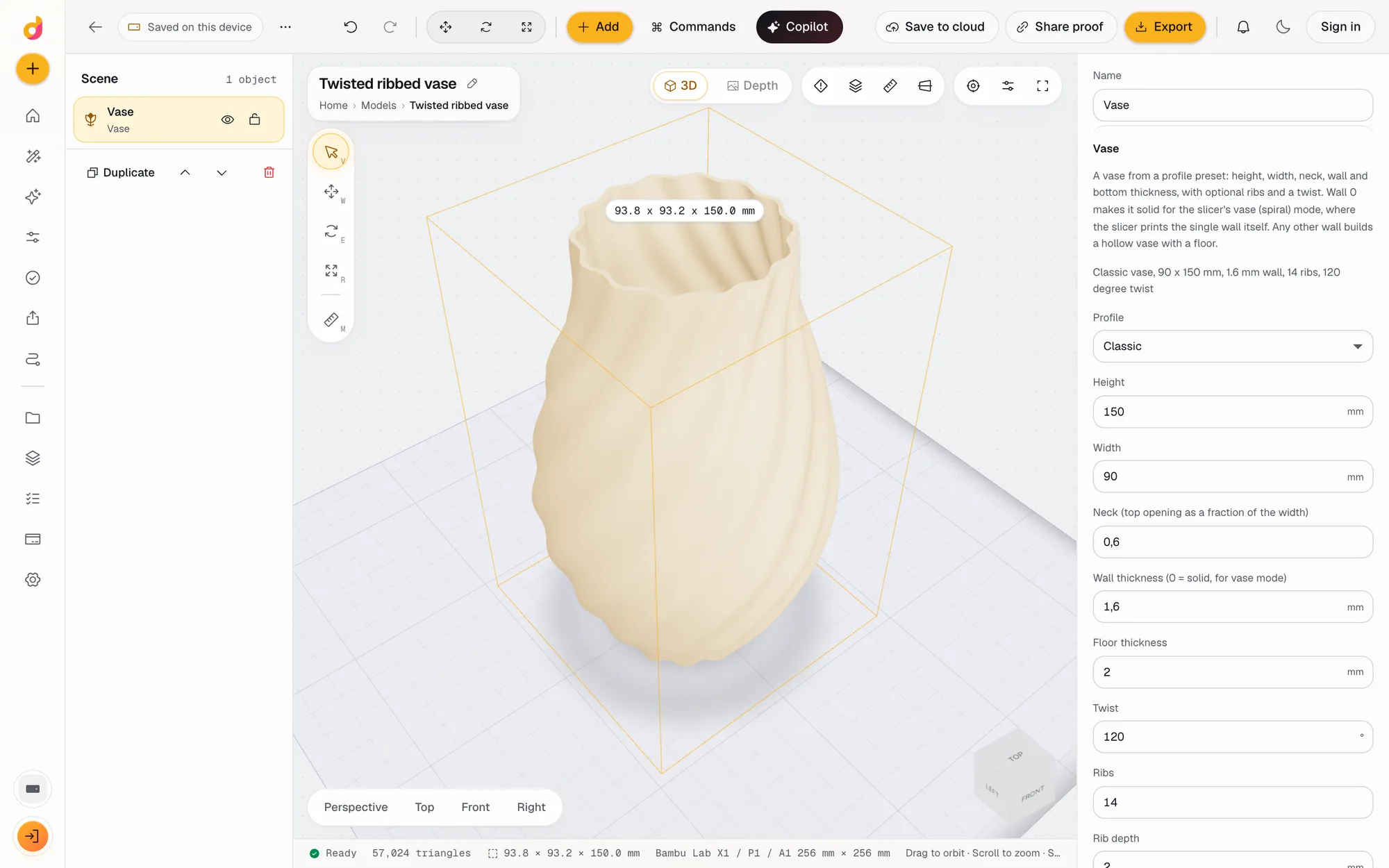
The Depthue Studio vase generator builds a vase from a profile and a few numbers: classic, bulb, flare, hourglass, straight or bowl, 40 to 400 mm tall, with a twist of up to 720 degrees and up to 64 ribs. Set the wall to 0 for a solid body that your slicer prints in vase (spiral) mode, or give it a wall and it builds a hollow vase with a floor.
Free in your browser, no card. Files stay on your device until you save to the cloud.
The short answer
- Six profiles (classic, bulb, flare, hourglass, straight, bowl), 40 to 400 mm tall and 30 to 300 mm wide.
- Twist from -720 to 720 degrees and 0 to 64 ribs up to 10 mm deep, applied to the real surface.
- Wall 0 makes a solid body for slicer vase mode; any wall up to 6 mm makes a hollow vase with a 1 to 10 mm floor.
- Profiles
- Classic, bulb, flare, hourglass, straight or bowl
- Size
- Height 40 to 400 mm (150 by default), width 30 to 300 mm (90 by default)
- Neck
- 0.3 to 1.2 times the width, 0.6 by default
- Wall
- 0 (solid, for vase mode) or up to 6 mm; 1.6 mm by default
- Floor
- 1 to 10 mm, 2 mm by default
- Twist
- -720 to 720 degrees, 0 by default
- Ribs
- 0 to 64, rib depth 0 to 10 mm (2 mm by default)
- Smoothness
- 24 to 256 segments around, 96 by default
- Export
- STL, 3MF, OBJ, GLB or PLY
How to make a vase for vase mode
- 1
Add a vase
Open the vase generator, or Add, Vase in any project. A classic 90 x 150 mm vase with a 1.6 mm wall lands on the plate.
- 2
Shape it
Pick a profile, set the height, width and neck, then add a twist and ribs.
- 3
Pick the wall
Set the wall to 0 for vase mode, or 0.8 mm and up for a hollow vase that prints with normal settings.
- 4
Export and slice
Export STL or 3MF. For a solid vase, turn on vase (spiral) mode in your slicer.
Six profiles and one neck setting
Each profile is a smooth curve through a few control points, revolved around the centre. The neck setting moves the narrow end, which is a different place on each profile:
| Profile | Shape | What the neck sets |
|---|---|---|
| Classic | Widest below the middle, narrowing to the top | Top opening |
| Bulb | Round belly low down, long narrow neck | Top opening |
| Straight | Straight sides, tapering to the neck | Top opening |
| Hourglass | Wide at both ends | Waist |
| Flare | Narrow foot, widening to the top | Base |
| Bowl | Narrow foot, rounding out to a wide rim | Base |
The neck is a fraction of the width, from 0.3 to 1.2. On a straight profile, 1 gives a cylinder and 1.2 a top wider than the base.
Solid for vase mode, or a real wall
Wall 0 builds a solid body. In your slicer's vase (spiral) mode, the slicer prints the outside as one continuous wall plus a bottom, so the wall is as thick as its line width. This is the fastest way to print a vase, and there is no seam.
Any other wall, up to 6 mm, builds a hollow vase with a floor of 1 to 10 mm, ready to print with normal settings. Under 0.8 mm you get a note that the wall prints as a single line. The wall keeps the same thickness on the shoulders as on the straight parts, because the inside follows the outside along its normal. The generator protects the opening: if the neck is too narrow for the wall, the wall is capped so the neck stays open, or the vase is built solid, with a note either way.
Twist and ribs
- Twist turns the vase around its axis as it rises, from -720 to 720 degrees in total. Negative values turn the other way.
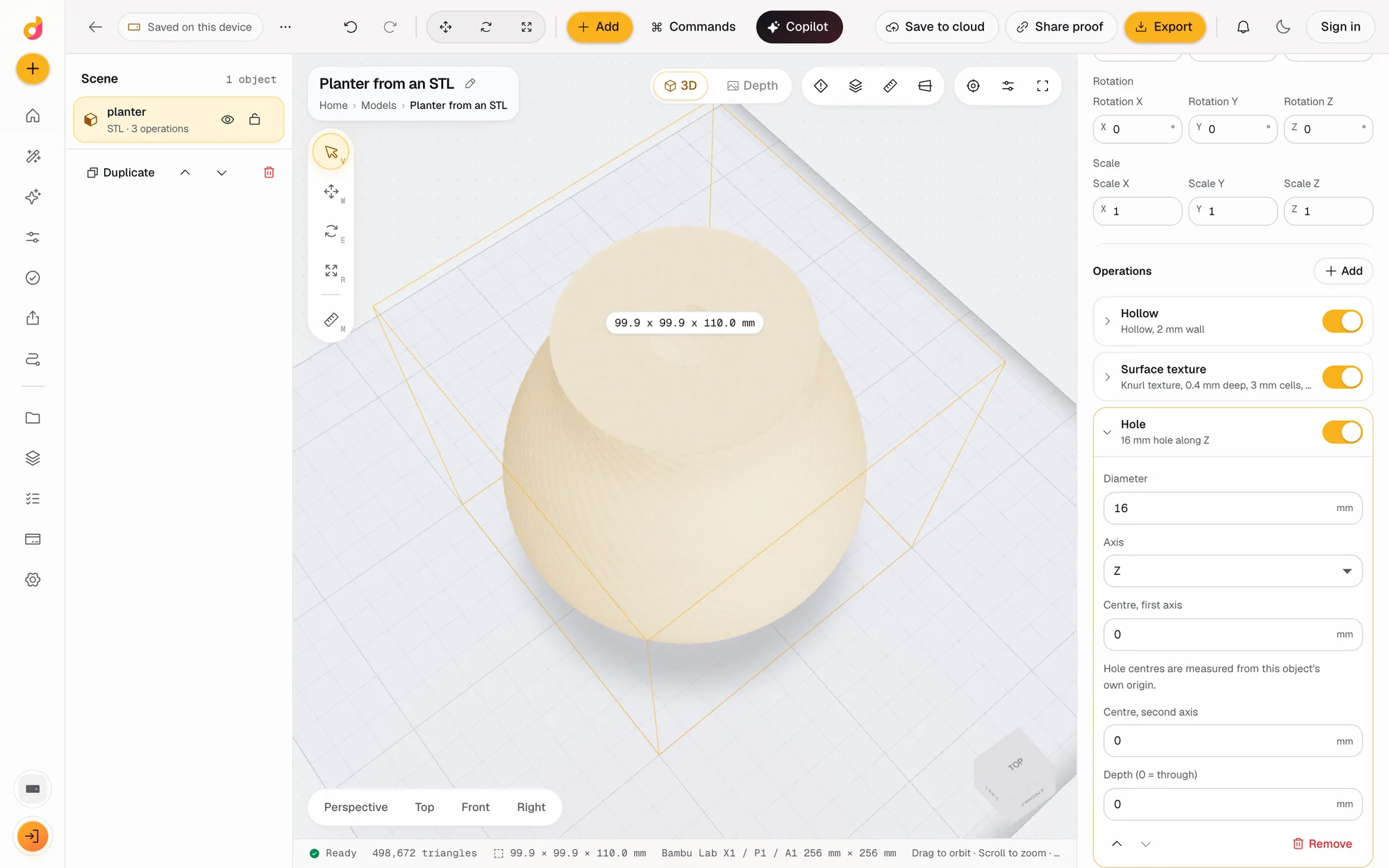
- Ribs push the surface out in 0 to 64 rounded ridges, up to 10 mm deep. The vase in the screenshot has 14 ribs of 2 mm, so it measures 93.8 mm across instead of 90.
- Smoothness sets the segments around, 24 to 256. 96 is smooth for most sizes.
Twist and ribs are applied to the real surface, not as a texture on screen, so the exported file is exactly what you see. Combine them with vase mode for a twisted spiral vase.
Planters, pen holders and more
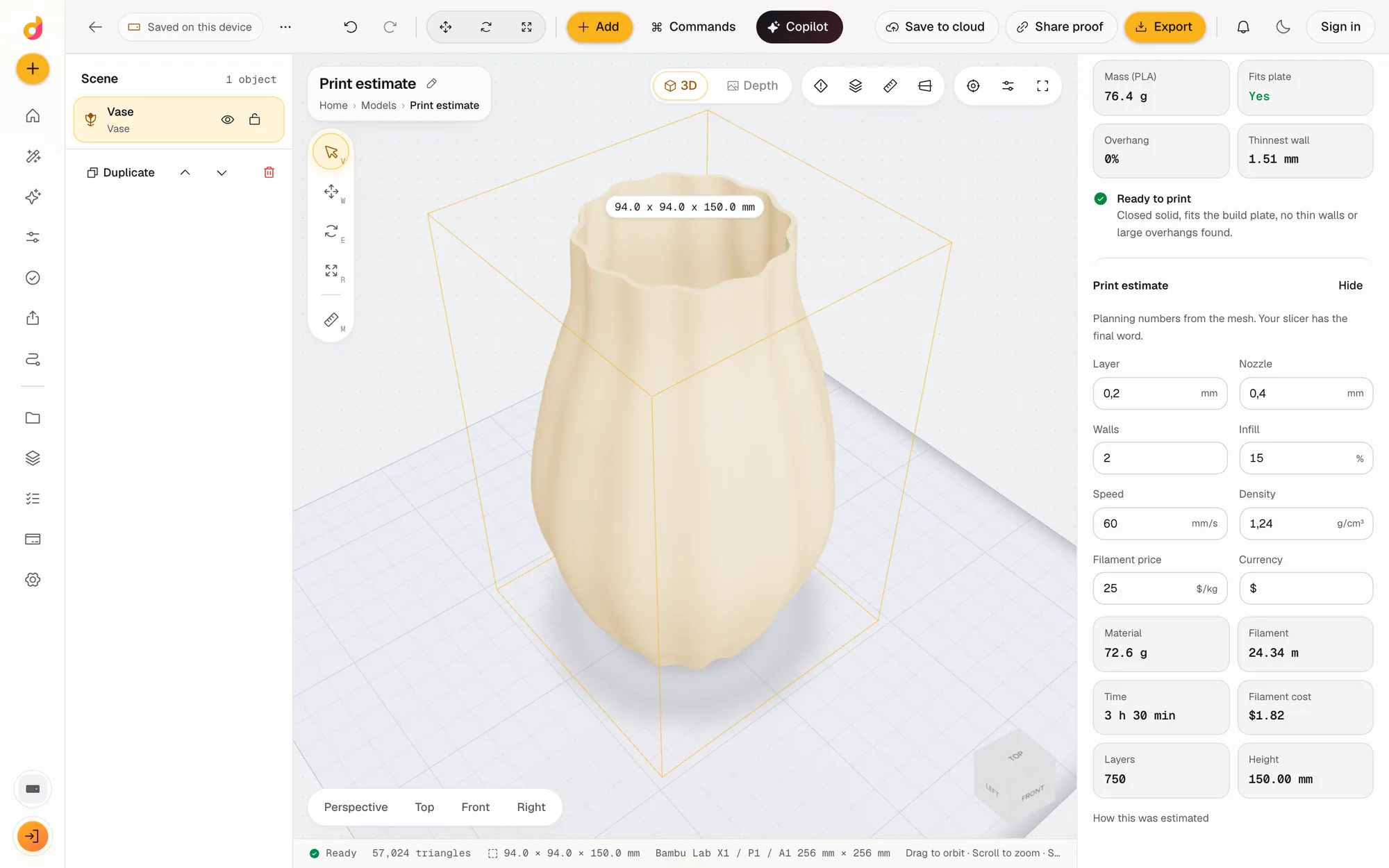
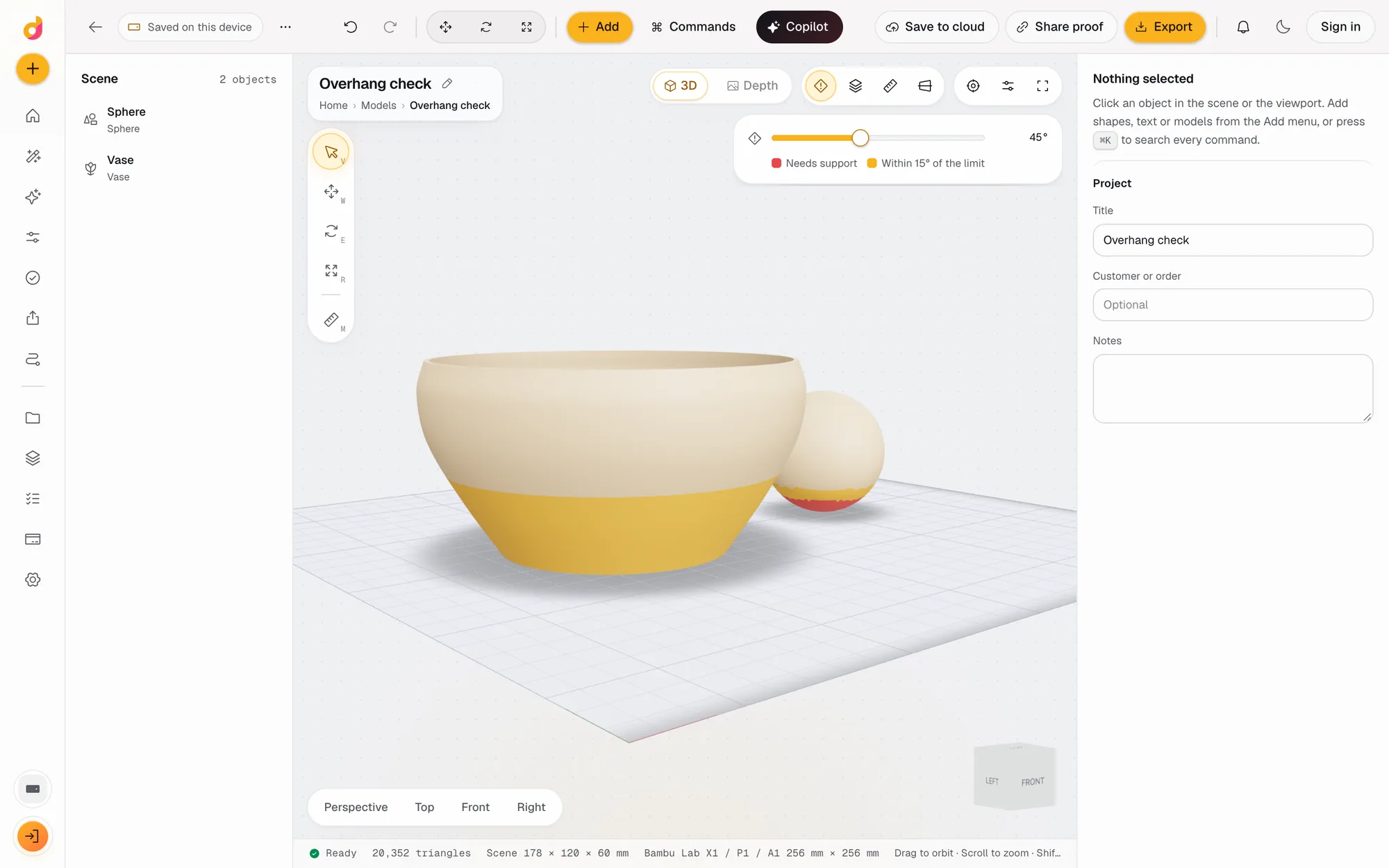
Change the numbers and the same part becomes something else. The bowl profile at 60 mm tall is a dish; a straight profile with ribs is a pen holder; a wide flare is a planter. Add a drain hole with the Hole operation, a surface texture, or a base plate with the STL editor operations. Check the weight, time and overhangs with the print checks before you slice. The vase is one of Studio's parametric parts.
Questions
What is vase mode?
Vase mode, also called spiral mode, is a slicer setting that prints a solid model as one continuous spiral wall plus a bottom, with no seam and no top. You give the slicer a solid body and it makes the single wall itself.
How do I make a vase for vase mode?
Set the wall to 0. The generator then builds a solid body instead of a hollow one. Export the STL and turn on vase (spiral) mode in your slicer; the wall is as thick as the slicer's line width.
Should I use vase mode or a hollow vase?
Vase mode is fast and has no seam, but the wall is a single line. A hollow vase with a 1.6 mm wall prints with normal settings and is sturdier. Under 0.8 mm the generator warns that the wall prints as a single line.
How big can the vase be?
Up to 400 mm tall and 300 mm wide, larger than most printer beds. The print checks show whether it fits your printer's build plate before you export.
Can I make a twisted or ribbed vase?
Yes. Twist goes from -720 to 720 degrees over the height and ribs from 0 to 64, up to 10 mm deep. Both are applied to the surface itself, so the vase stays one closed solid.
Is the vase generator free?
Free to start. A free account includes 50 credits a month. Adding a vase is 2 credits, changing its settings is free, each operation is 1 and an export 5. Paid plans start at $5 a month for 1,200 credits.
Also in Depthue Studio
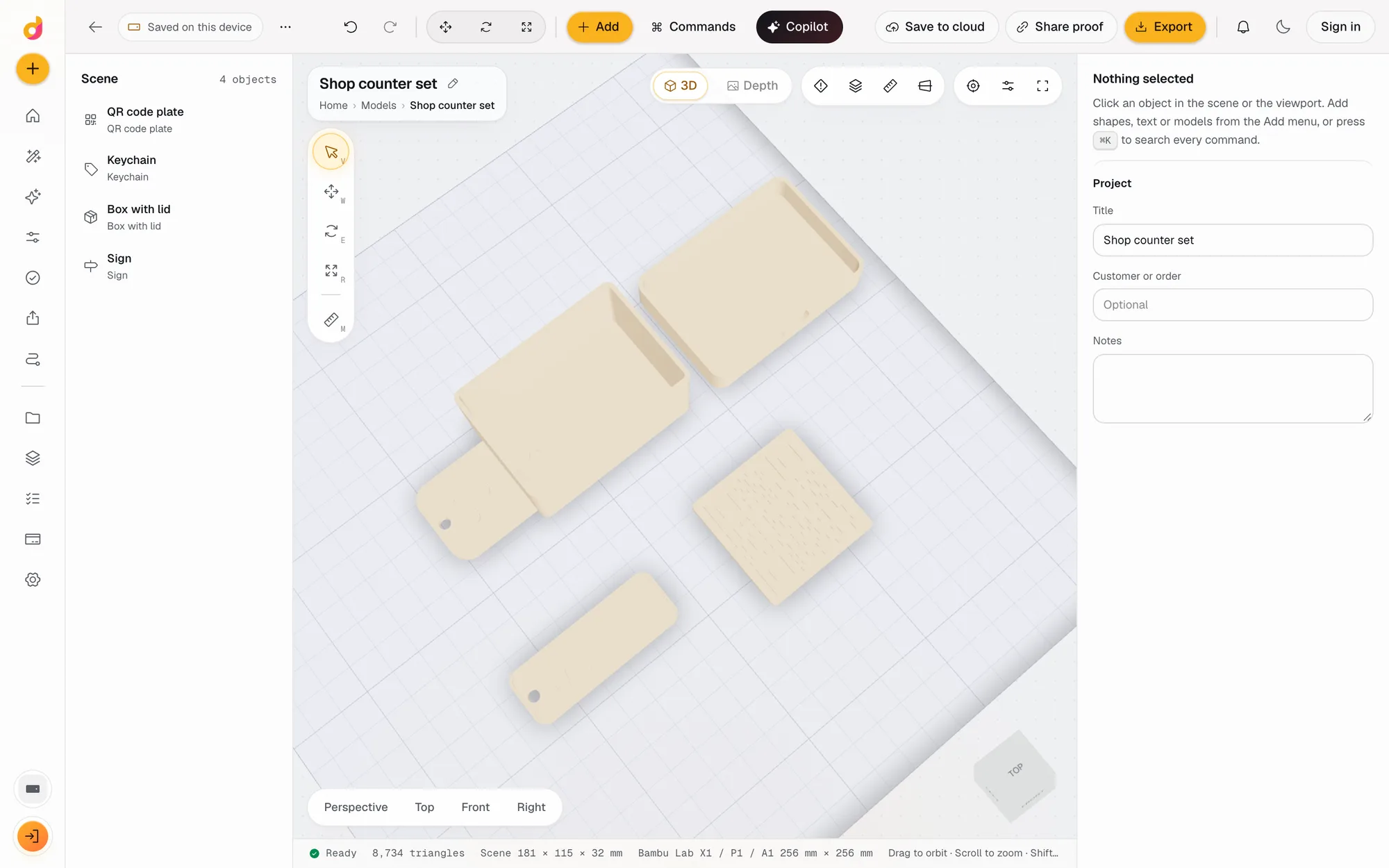 Parametric model makerMake printable keychains, name signs, boxes with lids, vases, QR plates and gears from a few settings in mm, then edit and export STL or 3MF. Free to start.See how it works
- STL checkerCheck an STL before printing: closed solid, plate fit, overhangs, thin walls, volume, mass and a print estimate in grams, time and cost. Free to start.See how it works
 STL editorEdit STL files online: scale to exact millimetres, cut, hollow, combine, add text and holes, repair and simplify, then export STL or 3MF. Free to start.See how it works
Read next
3D printing
How Much Does 3D Printing Cost? Real Numbers, and How to Price Prints to Sell
What a 3D print costs at home or from a service: filament, power, wear and failures, resin vs FDM, and a pricing formula with Etsy fees for prints you sell.
October 8, 2026 7 min read
3D printing
How to Make an STL File: 6 Ways, From Scratch or From What You Have
How to make an STL file for 3D printing for free: model it, build it from settings, turn a photo, logo or text into one, convert a CAD file, or use AI.
November 4, 2026 4 min read
Open the vase generator.
It runs in your browser and the free plan needs no card. Paid plans from $5 a month add credits, storage and projects.