
Depthue Studio
Box generator: a custom box with lid to 3D print
The Depthue Studio box generator builds a box with a lid from the size you need inside: width, depth and height from 10 to 300 mm, plus the wall, floor and corner radius. The lid slips over the box or sits in with an inset lip, with the clearance you set. Box and lid print open side up and export as STL or 3MF.
Free in your browser, no card. Files stay on your device until you save to the cloud.
The short answer
- Sized from the inside: 10 to 300 mm wide, deep and high, with a 0.8 to 6 mm wall and floor added outside.
- A slip lid that fits over the box or an inset lid with a lip, with 0 to 1 mm of clearance (0.3 mm by default) and an optional finger notch.
- Export the box, the lid or both side by side as two shells in one file, STL or 3MF.
- Inside size
- Width, depth and height 10 to 300 mm each (60 x 40 x 30 mm by default)
- Wall and floor
- 0.8 to 6 mm each, 1.6 mm by default
- Corners
- Outer corner radius 0 to 20 mm, 3 mm by default
- Lid
- Slips over the box, or an inset lip that drops into the opening
- Clearance
- 0 to 1 mm on each side, 0.3 mm by default
- Lid height
- 3 to 60 mm, 10 mm by default
- Finger notch
- On by default: in the lid for a slip lid, in the box's front wall for an inset lid
- Part
- Box and lid side by side (two shells, 10 mm apart), box only or lid only
- Export
- STL, 3MF, OBJ, GLB, PLY, or an SVG or DXF outline
How to make a box with a lid
- 1
Add a box
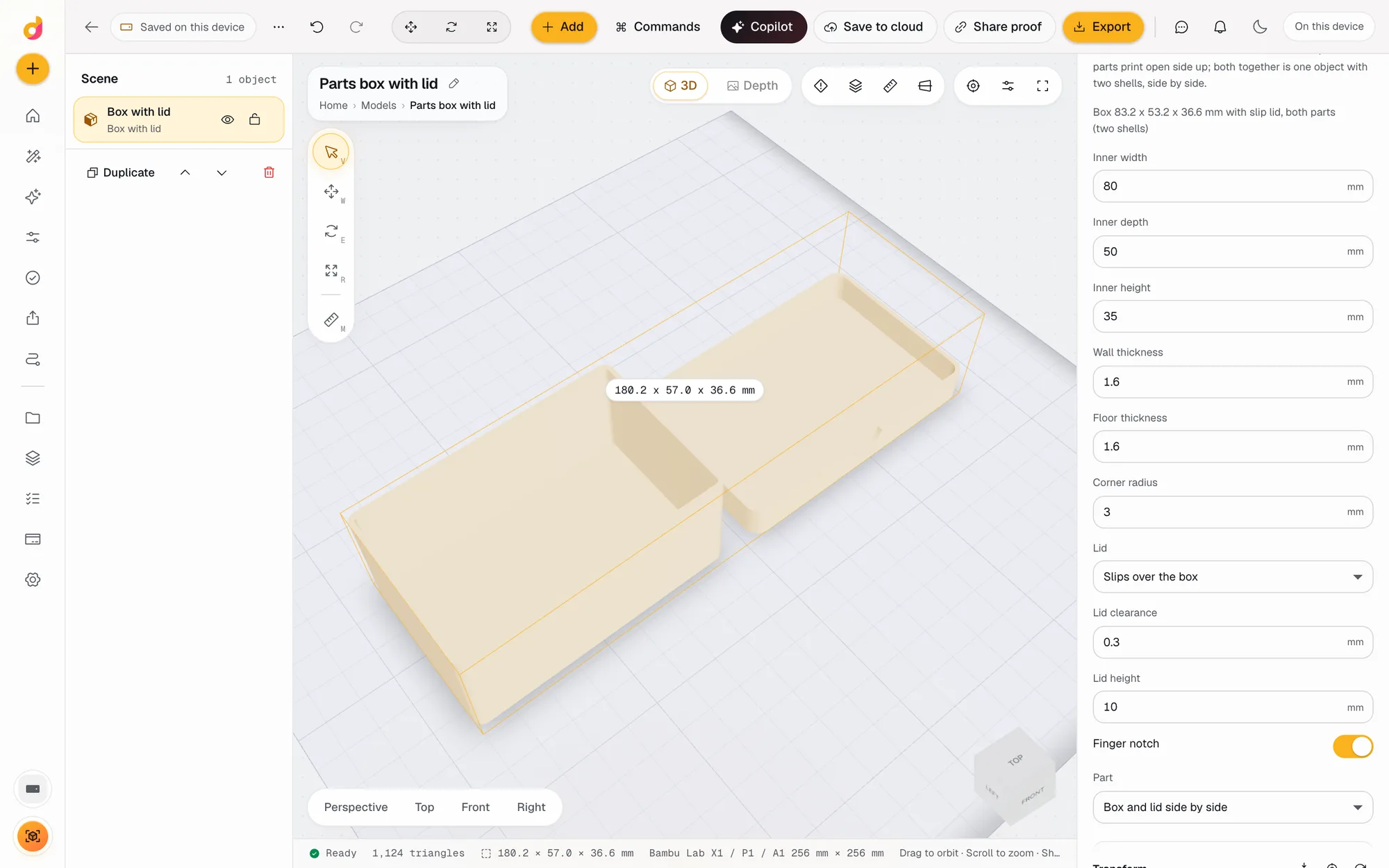
Open the box generator, or Add, Box with lid in any project. A 60 x 40 x 30 mm box and its lid land side by side.
- 2
Type the inside size
Measure what goes in and type the inner width, depth and height. The wall and floor are added outside.
- 3
Pick the lid
Choose a slip lid or an inset lip, set the clearance and lid height, and turn the finger notch on or off.
- 4
Export
Export both parts in one file, or switch Part to box only or lid only and export each on its own.
Sized from the inside
Most boxes are made to hold something, so the generator starts from the inside. You type the inner width, depth and height; the wall goes outside on every side and the floor underneath.
| Size | Formula | Default |
|---|---|---|
| Box outside | inner + 2 x wall, inner height + floor | 63.2 x 43.2 x 31.6 mm |
| Slip lid inside | box outside + clearance on each side | 63.8 x 43.8 mm |
| Slip lid outside | lid inside + 2 x wall, lid height + floor | 67 x 47 x 11.6 mm |
| Both parts on the plate | box and lid side by side, 10 mm apart | 140.2 x 47 x 31.6 mm |
The inspector shows the outside size as you type, for example "Box 63.2 x 43.2 x 31.6 mm with slip lid, both parts (two shells)".
Slip lid or inset lid
Slip lid. A shallow tray that fits over the outside of the box, with the clearance you set on every side. The lid height is the skirt that covers the box; it is capped at the height of the box, with a note. The finger notch is cut into the lid's front edge so you can lift it.
Inset lid. A flat plate the size of the box with a hollow lip that drops into the opening, the clearance smaller than the inside on each side. The lip is capped 1 mm short of the inside height so the lid rests on the box rim. The finger notch moves to the box's front wall. If the box is too small inside for a lip at that wall and clearance, the generator says so instead of building a broken lid.
Corners follow the outer radius on the box and the lid, so a rounded box gets a rounded lid that matches.
One file or two
With Part set to both, the box and the lid sit side by side, 10 mm apart, as two shells in one object. Print them together, or switch Part to box only or lid only to export each part on its own. Printing the lid alone first is a cheap way to test the fit.
Make it yours
The box is a normal solid, so every operation works on it. Emboss a label on the lid, cut a vent pattern through it with Pattern cut, add a hole for a cable, or round the outside edges. For a link to instructions or a reorder page, add a QR code plate and join it to the lid. Check grams and print time with the print checks, or compare with the free 3D print cost calculator.
For drawer storage on a grid, with dividers, a label shelf and magnet holes, the Gridfinity generator is the better fit.
Questions
How do I size a 3D printed box so things fit?
Type the inside size: the size of what goes in, plus a little room. The wall is added outside on every side and the floor underneath, so a 60 x 40 x 30 mm inside with 1.6 mm walls makes a 63.2 x 43.2 x 31.6 mm box.
What clearance should the lid have?
0.3 mm on each side is the default and a common starting point for a slip fit. Go up to 0.4 or 0.5 mm if the lid is too tight on your printer, or down to 0.2 mm for a snug fit. Print the lid alone first to test: it is the quicker print.
Slip lid or inset lid?
A slip lid fits over the outside of the box like a shoebox lid, and is a little bigger than the box. An inset lid is a flat top with a lip that drops into the opening, so the closed box keeps its outside width and depth.
Do I need supports?
No. The box and the lid are both built open side up, flat on the plate, so neither has an overhang to support.
Can I add dividers or a label?
The box has no dividers setting. For a drawer organiser with dividers and a label shelf, use the Gridfinity generator. To put a name on the box, emboss text on the lid or the front with an operation.
Is the box generator free?
Free to start. A free account includes 50 credits a month. Adding the box is 2 credits, changing its settings is free, each operation is 1 and an export 5. Paid plans start at $5 a month for 1,200 credits.
Also in Depthue Studio
 Gridfinity generatorGridfinity generator: set the grid size, height, dividers, stacking lip, label shelf and magnet holes, and download a bin or baseplate STL or 3MF.See how it works
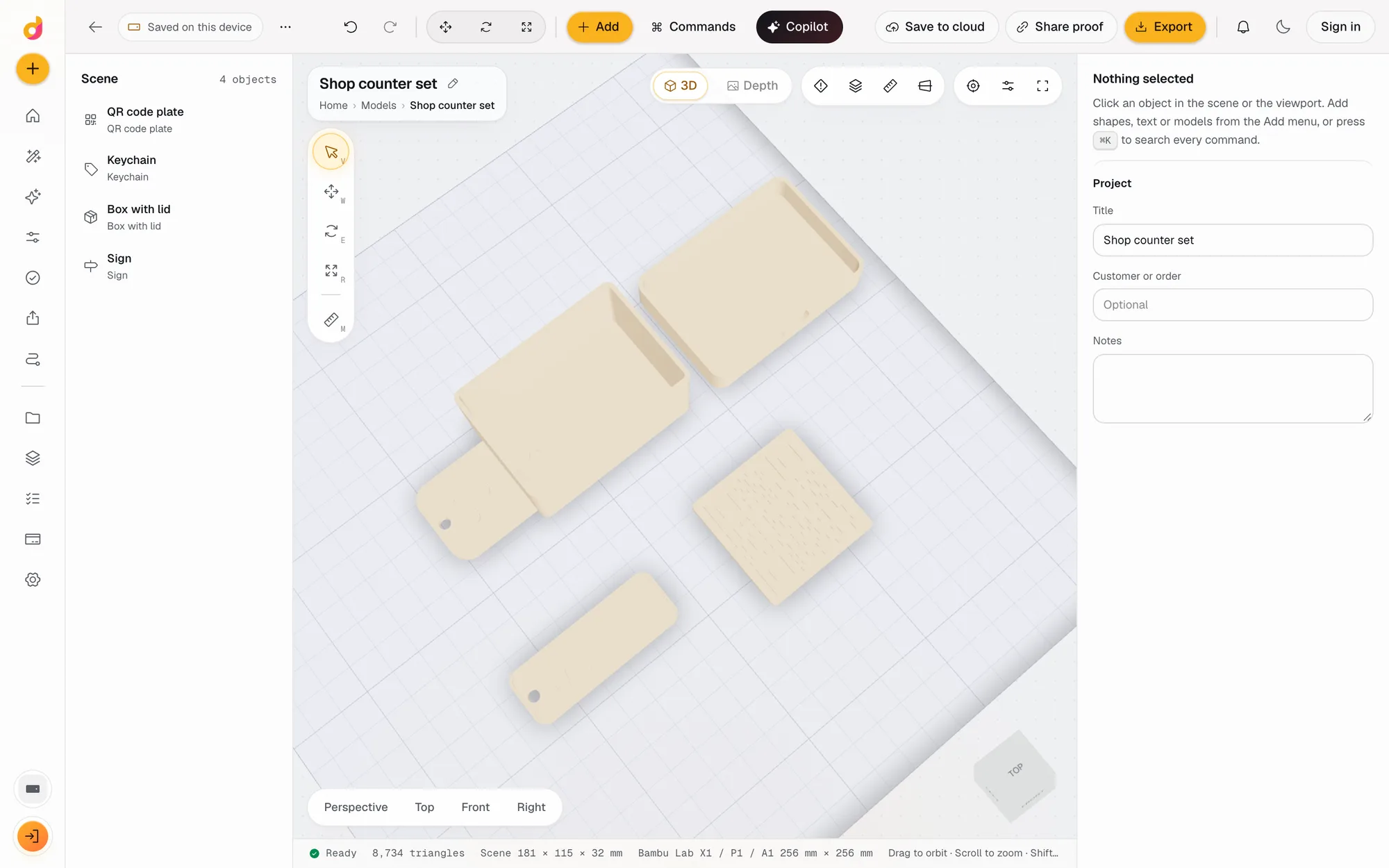 Parametric model makerMake printable keychains, name signs, boxes with lids, vases, QR plates and gears from a few settings in mm, then edit and export STL or 3MF. Free to start.See how it works
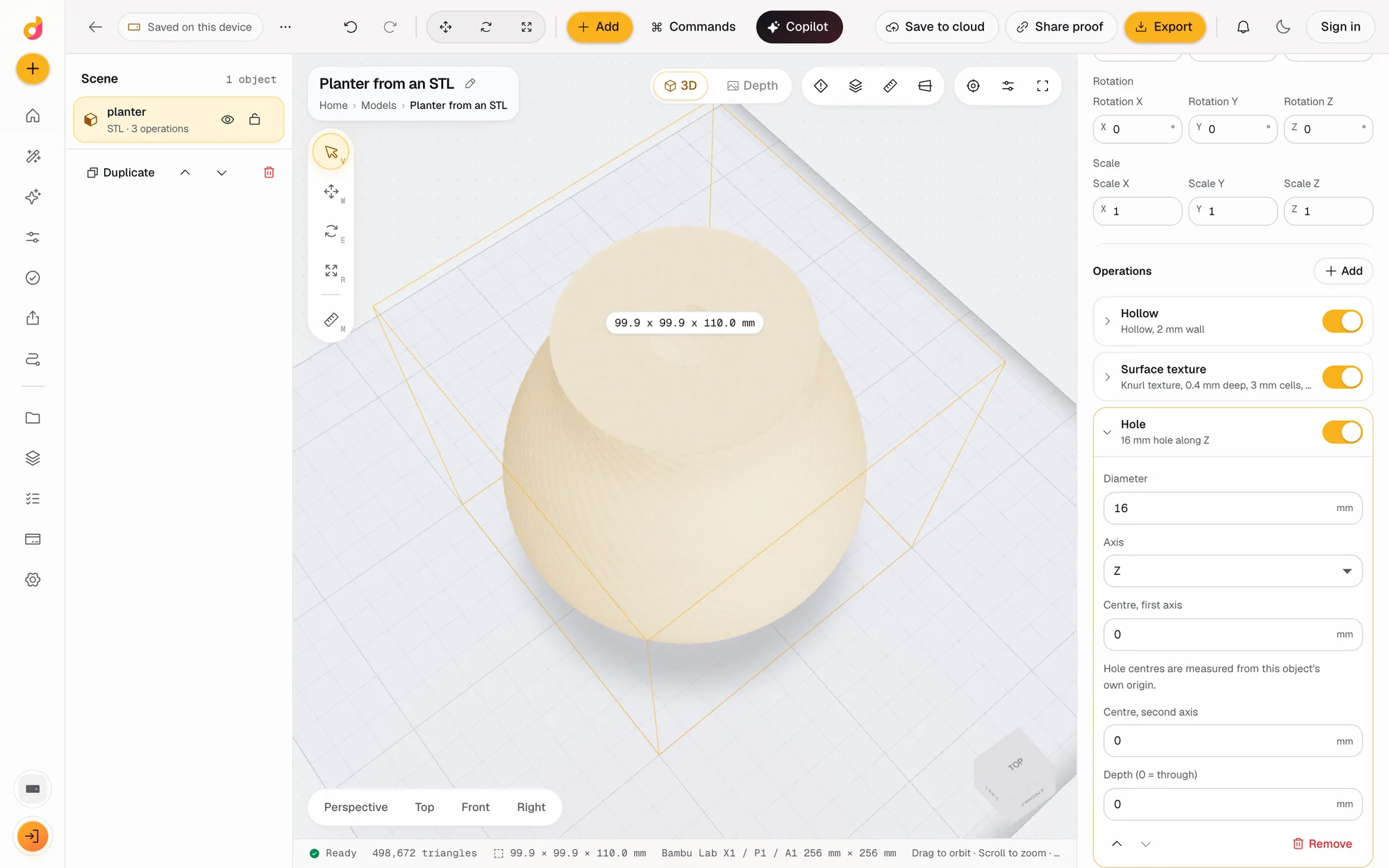 STL editorEdit STL files online: scale to exact millimetres, cut, hollow, combine, add text and holes, repair and simplify, then export STL or 3MF. Free to start.See how it works
Read next
3D printing
How Much Does 3D Printing Cost? Real Numbers, and How to Price Prints to Sell
What a 3D print costs at home or from a service: filament, power, wear and failures, resin vs FDM, and a pricing formula with Etsy fees for prints you sell.
October 8, 2026 7 min read
3D printing
How to Edit an STL File: The Right Free Tool for Each Change
How to edit an STL file for free: scale, cut, add text, combine parts or cut holes in your slicer, Tinkercad, Blender, Fusion or FreeCAD, matched to the job.
November 2, 2026 11 min read
Open the box generator.
It runs in your browser and the free plan needs no card. Paid plans from $5 a month add credits, storage and projects.