The Best 3D Modeling Software for 3D Printing in 2026
The best 3D modeling software for 3D printing, free and paid: Tinkercad, Fusion, Onshape, Blender, FreeCAD, OpenSCAD, Shapr3D, Womp and Depthue Studio.
By Depthue Lab5 min read
The best 3D modeling software for 3D printing depends on what you print. For functional parts with exact dimensions, use parametric CAD: Fusion for personal use, Onshape or FreeCAD, all free for hobby work. For organic shapes, use Blender. To start from nothing, Tinkercad. And to edit, letter and check STL files you already have, a mesh editor such as Depthue Studio is faster than any of them.
Prices and features below come from each vendor's own pages, read on November 2, 2026. Depthue makes Depthue Studio; it is marked as ours.
The short list
| Software | Price | Runs on | Type | Best for |
|---|---|---|---|---|
| Autodesk Fusion | Free for personal use; $85 a month | Windows, macOS | Parametric CAD | Functional parts, the most common hobby pick |
| Onshape | Free, public documents; $1,500 a year | Browser, iPad, phones | Parametric CAD | CAD on any computer |
| FreeCAD | Free, open source | Windows, macOS, Linux | Parametric CAD | Free CAD for any use |
| Blender | Free, open source | Windows, macOS, Linux | Mesh and sculpting | Characters, organic shapes, cleanup |
| Tinkercad | Free | Browser, iPad | Shape stacking | Beginners and classrooms |
| SketchUp Free | Free, non-commercial | Browser | Direct modelling | Simple architectural shapes |
| OpenSCAD | Free, open source | Windows, macOS, Linux | Code CAD | Parametric parts written as code |
| Shapr3D | Free tier; $199.99 a year | Windows, macOS, iPad | Parametric CAD | CAD on an iPad |
| SelfCAD | Free; Pro $14.99 a month | Browser, Windows, macOS | Modelling plus slicer | All-in-one with a built-in slicer |
| Womp | Free; Pro $12.99 a month | Browser | Clay-like modelling | Soft shapes and renders |
| Depthue Studio (ours) | Free; plans from $5 a month | Browser | Mesh editor and parts | Editing, lettering and checking STL files |
Parametric CAD for functional parts
Parametric CAD stores a part as sketches and features with dimensions, so a hole stays 5 mm when you change the length. For brackets, enclosures, mounts and anything that has to fit, start here.
Autodesk Fusion
Fusion combines CAD, CAM and simulation. Fusion for personal use is free on a 1-year term for personal, non-commercial projects by individuals earning under $1,000 a year, with 10 editable documents at a time and limited import and export types. It still exports STL and 3MF, and its 3D Print utility sends a part straight to an installed slicer. It runs on Windows and macOS; the browser version needs a commercial or education entitlement. The paid plan is $85 a month or $680 a year.
Onshape
Onshape is cloud CAD from PTC that runs in a browser and on iPad and phones, so it works on a Chromebook or a work laptop where you cannot install software. The free plan is for non-commercial use and every document on it is public. It exports STL and 3MF. Imported STL meshes are for reference: Onshape's file-format page says they cannot be edited. Paid plans start at $1,500 per user a year.
FreeCAD
FreeCAD is free, open source parametric CAD for Windows, macOS and Linux under the LGPL, so commercial use is allowed. It exports STL and 3MF, and its Mesh workbench repairs, decimates and trims imported meshes. Expect a steeper start than Fusion.
Shapr3D
Shapr3D is parametric CAD on the Parasolid kernel for iPad, Mac and Windows, with direct and history-based modelling and Apple Pencil support. The free tier allows two projects and basic-quality STL and 3MF exports, for non-commercial use. The Solo plan was listed at $199.99 a year on November 2, 2026, while Shapr3D was renaming its plans.
Mesh modelling and sculpting
Blender
Blender is the free, open source 3D suite for Windows, macOS and Linux: modelling, sculpting, rendering and animation, free for any use. It imports and exports STL natively; 3MF needs a community extension. The free 3D Print Toolbox extension adds volume and bad-geometry checks, Make Manifold, a hollow tool and align-to-bed. Blender is the most capable tool on this list and the slowest to learn.
Womp
Womp models with soft, blendable shapes in the browser and renders on its own servers, with AI generation and a resin print service. Its FAQ says there is no offline version, and that what you make is yours to keep and sell. Pro is $12.99 a month.
For beginners
Tinkercad
Tinkercad is Autodesk's free browser app where you build by stacking and grouping shapes, with an iPad app and Codeblocks for block coding. It is the easiest place to start. It imports STL or OBJ files under 25 MB as one sealed shape and has no automatic print checks. When you outgrow it, Autodesk points you to Fusion.
SketchUp Free
SketchUp Free is Trimble's browser modeller. It exports STL, but cannot import STL files on the free plan, and its solid tools for union and subtract are paid. It is for non-commercial use.
Code and all-in-one tools
OpenSCAD
OpenSCAD builds solids from a script instead of a mouse, which makes parts with exact parameters easy to rebuild in many sizes. It is free under the GPL for Windows, macOS and Linux, and exports STL and 3MF. The last stable release is from 2021; the downloads page points to nightly builds, which offer the faster Manifold engine.
SelfCAD
SelfCAD runs in a browser and as a Windows and macOS app, with modelling, booleans, repair and a built-in slicer that makes G-code. Sculpting and Image To 3D are on the Pro plan at $14.99 a month. Its export list does not include 3MF.
Depthue Studio: for the files you already have
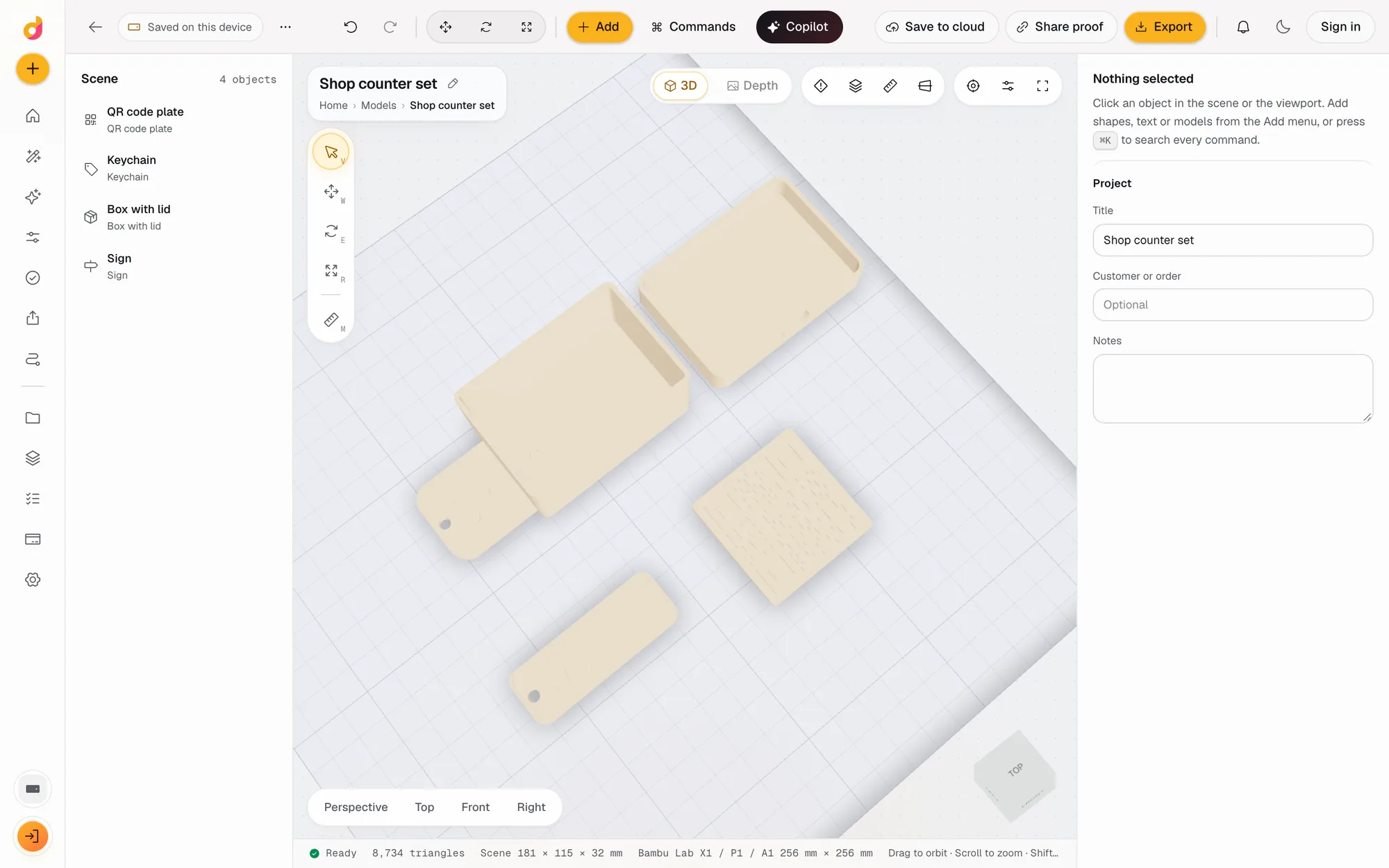
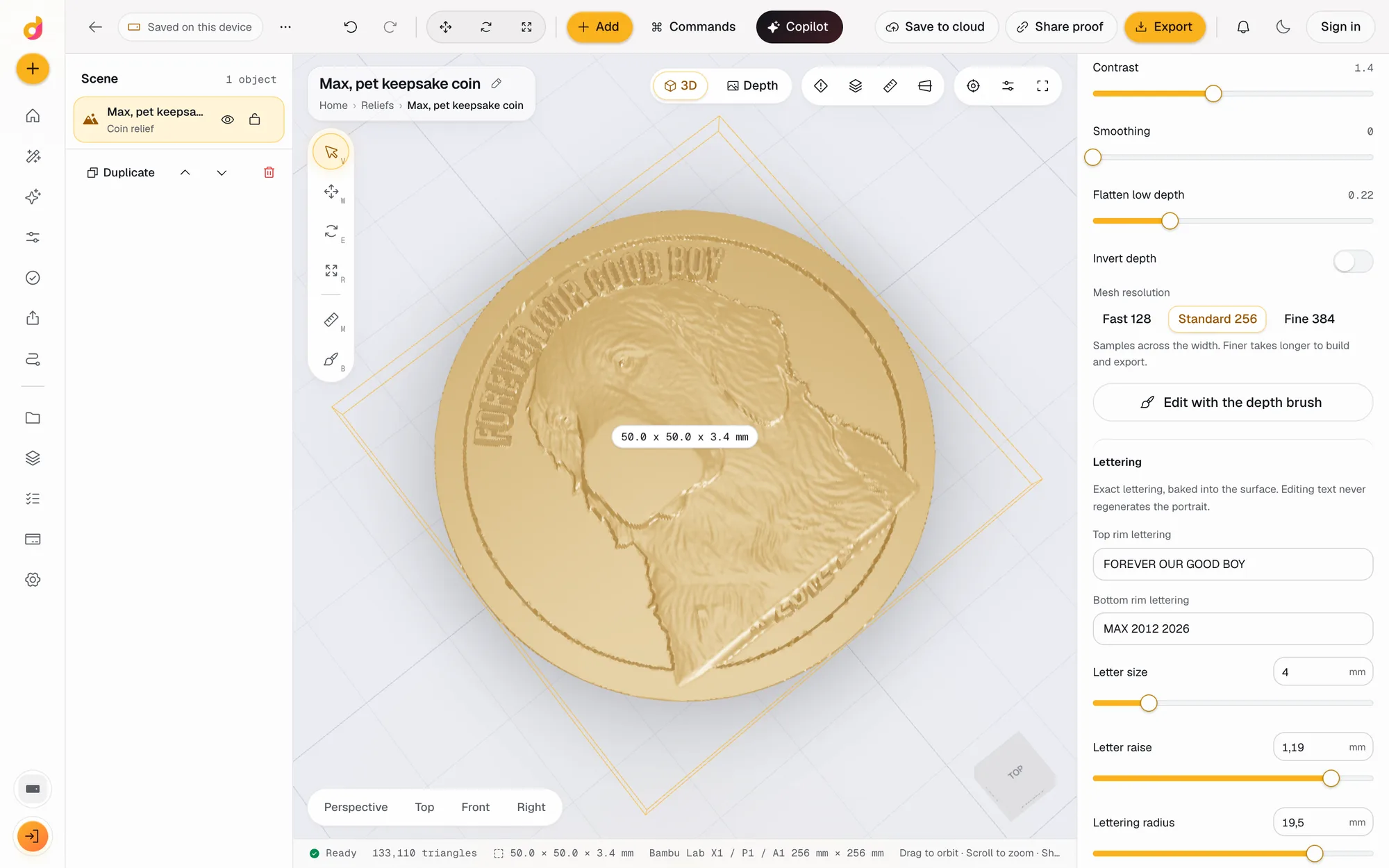
Most prints do not start from a blank screen. They start from a downloaded STL that needs a flat base, a name, a magnet hole or a resize, from a part with standard dimensions, or from a photo. Depthue Studio is a browser 3D workspace for those jobs:
- Edit any STL: open STL, OBJ, 3MF, GLB and PLY files up to 120 MB, then cut, hollow, combine, repair, simplify and emboss text with operations that stack on the original. See the online STL editor.
- Parts from settings: an involute gear generator, and keychains, signs, boxes, vases and QR plates from a few numbers, plus JavaScript scripted parts.
- Check before you slice: closed solid, plate fit, overhangs and thin walls, with a print estimate in grams, time and cost. See the STL checker.
- Photos into reliefs: coins, plaques and lithophanes with depth estimated on your device.
It is not parametric CAD: there are no sketches or constraints. Editing, checks and exports are free on every plan, and commercial use is allowed.
How to choose
| If you want to | Use |
|---|---|
| Design a functional part from scratch | Fusion, Onshape or FreeCAD |
| Learn 3D design with no experience | Tinkercad |
| Sculpt a figure or organic shape | Blender |
| Fix, cut, letter or hollow an existing STL | Depthue Studio, or your slicer for simple cuts |
| Make a gear, box or sign to exact sizes in a minute | Depthue Studio or OpenSCAD |
| Sell what you print | Blender, FreeCAD, OpenSCAD or Depthue Studio, or a paid CAD licence |
Whatever you design in, check the exported file before printing. The free STL viewer shows its size and volume, and how to fix STL files covers the errors slicers report.
Free tools for this job
Frequently asked questions
What is the best free 3D modeling software for 3D printing?
It depends on the part. For exact functional parts, Fusion for personal use, Onshape's free plan and FreeCAD are all free. For beginners, Tinkercad. For sculpting, Blender. For editing and checking STL files in a browser, Depthue Studio. Fusion and Onshape's free plans are for non-commercial use only.
What 3D modeling software do most 3D printing hobbyists use?
There is no single answer, and no reliable count. The common pattern is a parametric CAD program for functional parts, Blender for organic models, and the slicer for last-minute cuts and text.
Is Blender good for 3D printing?
Yes for organic shapes, sculpts and cleanup. It imports and exports STL natively, and the free 3D Print Toolbox extension adds checks, Make Manifold and hollowing. For parts with exact dimensions, parametric CAD is easier.
Is Fusion free for 3D printing?
Fusion for personal use is free on a 1-year term for personal, non-commercial projects by individuals earning under $1,000 a year, with 10 editable documents at a time. It exports STL and 3MF. Commercial use needs the paid plan at $85 a month or $680 a year.
Can I make 3D printable models in a browser?
Yes. Tinkercad, Onshape, SketchUp Free, SelfCAD, Womp and Depthue Studio all run in a browser. Onshape's free plan makes every document public, and SketchUp Free cannot import STL files.
What software do I need to sell 3D prints?
One whose licence allows commercial use. Blender, FreeCAD and OpenSCAD are free for any use; Depthue Studio allows commercial use on every plan. Fusion personal use, Onshape free, SketchUp Free and Shapr3D's free tier are non-commercial.
Sources
- Autodesk Fusion for personal use
- Autodesk, Fusion free licence changes
- Autodesk Fusion subscription FAQ
- Autodesk Fusion, supported file formats
- Onshape pricing
- Onshape Help, Supported file formats
- Blender, license
- Blender Manual, STL import and export
- Blender Extensions, 3D Print Toolbox
- FreeCAD
- FreeCAD Wiki, Import and export
- FreeCAD Wiki, Mesh Workbench
- SketchUp Free help
- SketchUp for Web, file management
- SketchUp Go pricing
- OpenSCAD, about
- OpenSCAD downloads
- Shapr3D pricing
- Shapr3D subscription plans
- Tinkercad Help, What is Tinkercad
- Tinkercad Help, Importing 3D models
- SelfCAD pricing
- Womp pricing
- Womp FAQ