Laser Engraving Software: The Best Free and Paid Programs for Every Machine
Laser engraving software compared by machine: LightBurn, LaserGRBL, xTool Studio, Glowforge, EZCAD and RDWorks, with prices, file formats and free picks.
By Depthue Lab9 min read
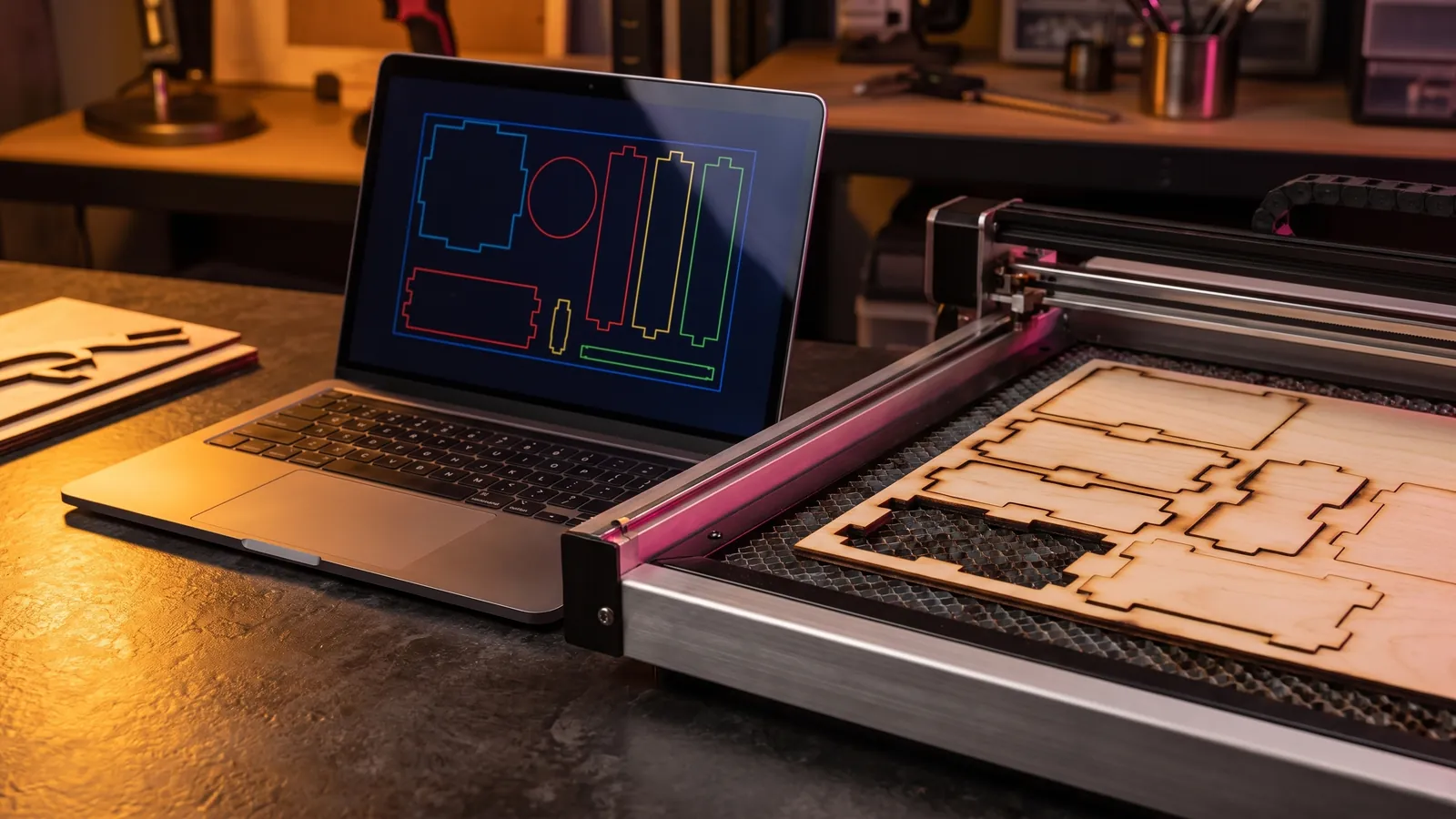
The best laser engraving software is the one your laser's controller supports. For most GCode diode, Ruida CO2 and galvo fiber lasers that is LightBurn, a one-time $99 (Core) or $199 (Pro) as of October 2026, and the best free option for GRBL diodes is LaserGRBL on Windows. If you own an xTool, a Glowforge or a Creality Falcon, start with the free app its maker provides.
Disclosure: Depthue makes the free file tools and DepthGen Pro listed under file preparation, labelled as ours. Everything else is described from the vendor's own pages, checked in October 2026.
Start with your controller
The controller is the board between your computer and the laser. Software talks to the controller, not to the diode or the tube, so the controller narrows your choice before any feature does.
| Machine or controller | Software that runs it |
|---|---|
| Diode laser on GCode firmware: GRBL, Smoothieware, Marlin | LightBurn Core; LaserGRBL for GRBL |
| CO2 laser on a DSP controller: Ruida, Trocen, TopWisdom | LightBurn Pro; RDWorks for Ruida |
| Galvo fiber, CO2 or UV laser on a JCZ (EZCAD) card or BSL | EZCAD2 or EZCAD3; LightBurn Pro |
| xTool | xTool Studio |
| Glowforge | Glowforge Print |
| Creality Falcon A1 or A1 Pro | Falcon Design Space |
To find yours, look for the controller name in the manual or on the spec sheet, or look up your model in LightBurn's hardware compatibility matrix. LightBurn's 30-day trial has no limits, so you can test the connection before you pay anything.
Laser engraving software compared (October 2026)
| Software | Price | Runs on | Controllers or machines | Design tools | Best for |
|---|---|---|---|---|---|
| LightBurn | $99 Core or $199 Pro, once; $40 per extra year of updates | Windows 10 and 11 (64-bit), macOS 12 or newer | Core: GRBL, Smoothieware, Marlin, GRBL-LPC. Pro adds Ruida, Trocen, TopWisdom, EZCad2, EZCad3, BSL | Full: shapes, text, tracing, booleans, offsets, variable text | Most diode, CO2 and galvo owners |
| LaserGRBL | Free, open source (GPLv3) | Windows | Grbl v0.9 and v1.1 | Image conversion and vectorizing only | GRBL diodes on a budget |
| xTool Studio | Free download | Windows, macOS | xTool machines | AImake AI design, puzzle generator, Excel and CSV data import | xTool owners |
| Glowforge Print | Free; Premium from $20 a month | Web-based: Mac, PC, Android, iPhone, tablet, Chromebook | Glowforge | Free catalog designs; Premium adds Magic Canvas AI and an art library | Glowforge owners |
| EZCAD2, EZCAD3 | Not listed (offered as software plus JCZ control card) | Not listed | JCZ LMC (EZCAD2) and DLC (EZCAD3) cards; fiber, CO2, YAG and SPI lasers | Marking tools; EZCAD3 adds 2.5D and 3D | Galvo fiber marking |
| RDWorks V8 | Download from Ruida, no price listed | Windows (per Ruida's driver) | Ruida controllers | Not listed | Ruida controller owners |
| Falcon Design Space | Free, per Creality | Not listed | Creality Falcon A1, A1 Pro | Not listed | Falcon owners |
| Inkscape | Free, open source (GPL) | Windows, macOS, Linux | None directly; G-code through a plug-in | Full vector editor | Designing for any laser |
"Not listed" means the vendor's own pages do not say.
Each program: what it does well and where it stops
LightBurn: the default for most lasers
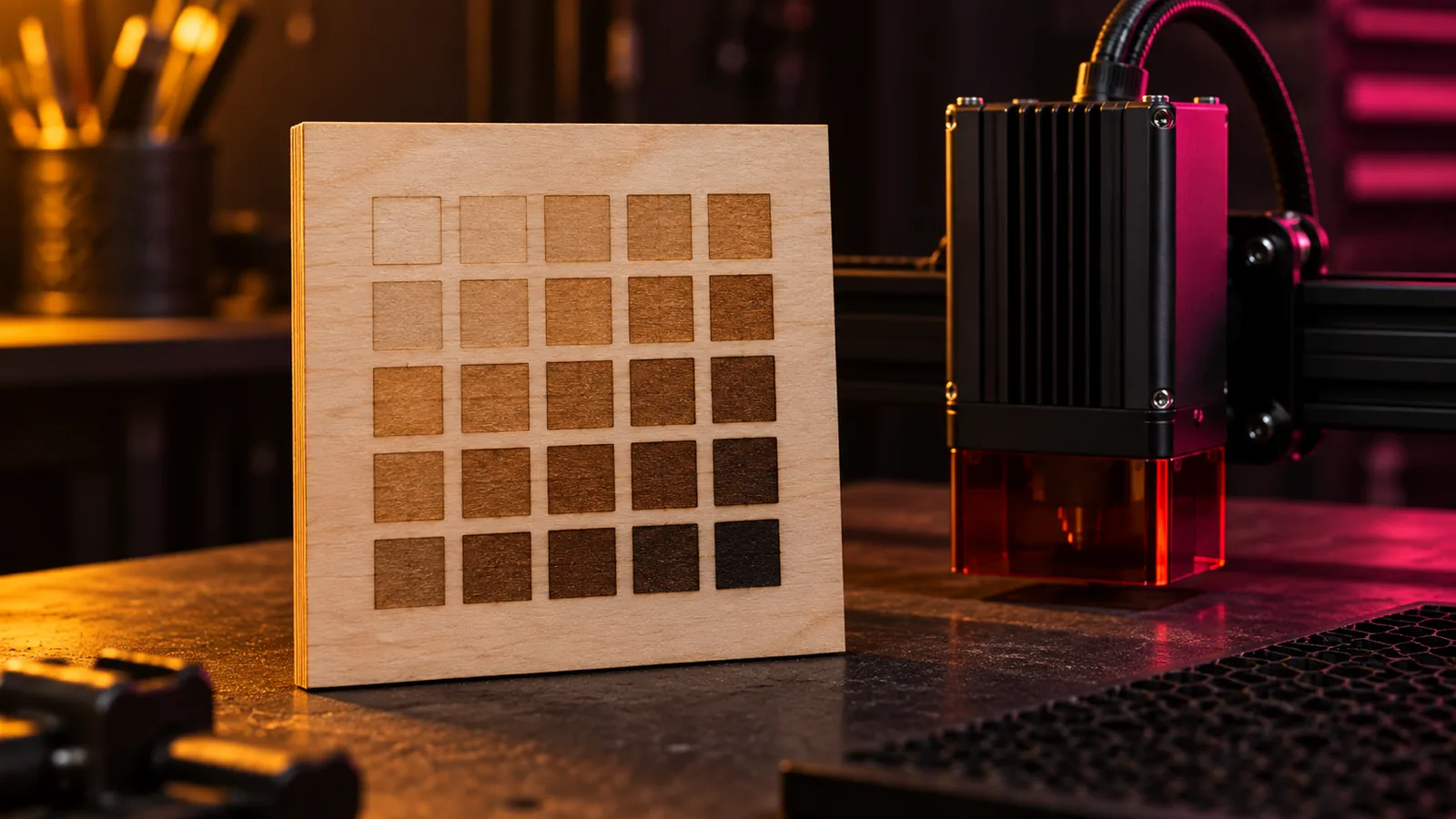
LightBurn is one program for design, layout, image engraving and machine control. Both editions get the same design tools: shapes, vector editing, image tracing, booleans, offsets, text and variable text, grid arrays, quick nesting, ten image processing modes and kerf offset. A built-in Material Test generator engraves a grid of power and speed combinations so you can pick settings from real results. It runs on 64-bit Windows 10 or 11 and macOS 12 or newer.
Limits: it costs money, and Ruida and galvo controllers need Pro. 3D Sliced engraving only works on galvo lasers, so depth map relief on a fiber laser means Pro. Version 1.7 was the last for Linux. It cannot import embedded fonts, so convert text to paths before you export. Prices, renewals and the trial are covered in how much LightBurn costs.
LaserGRBL: the best free option for GRBL diodes
LaserGRBL is free and open source under GPLv3, and its site pitches it squarely at image engraving. It converts photos to grayscale or dithered engravings, vectorizes images, loads G-code with a job preview, and gives you jogging, homing and live power and speed overrides (on Grbl newer than v1.1). It works with Grbl v0.9 and v1.1.
Limits: Windows only, GRBL only, and its own README marks SVG import as experimental. It is not a design program: draw in Inkscape or another editor, then load the result.
xTool Studio: for xTool machines
xTool calls Studio "the upgraded successor to XCS (xTool Creative Space)." It imports SVG and DXF, PDF and PSD, PNG and JPG, and since version 1.9 Adobe Illustrator files directly. It also opens 3D models such as STL, OBJ and 3MF. AImake, xTool's AI design assistant, is built in and may require an xTool account login. Installers for Windows and macOS (Intel and Apple silicon) are on xTool's support site.
Limits: the release notes list only xTool machines. XCS no longer gets updates on PC or mobile, and xTool machines launched after August 2025, starting with the P3, are supported only in Studio.
Glowforge Print: for Glowforge
Glowforge calls its app "free for life." It runs on Mac, PC, Android, iPhone, tablets and Chromebooks, imports JPG, PDF, PNG and SVG, and gives you the Glowforge Catalog's projects for free.
Limits: it runs Glowforge machines only, and DXF is not on its format list. Premium, from $20 a month after a 14-day trial, adds Magic Canvas AI art, a large vector art library, over 1,300 fonts and saved custom material settings.
EZCAD: galvo fiber marking
EZCAD is marking software from BJJCZ, which presents each version as a package with its own control cards. EZCAD2 runs on LMC cards and is, in BJJCZ's words, "suitable for basic two-dimensional laser processing." EZCAD3 runs on DLC cards, combines 2D and 3D, and adds 2.5D engraving. Both list fiber, CO2, YAG and SPI lasers, fly marking and multi-galvo support. They import PLT, DXF, AI and SVG vectors and BMP, JPG, PNG, GIF, TGA and TIF images, and EZCAD3 also imports STL models.
Limits: BJJCZ lists no separate price and no operating system. If you want one program across a galvo and other lasers, LightBurn Pro supports EZCad2, EZCad3 and BSL galvo controllers.
RDWorks: Ruida's own laser software
RDWorks is Ruida's software for its laser controllers. RDWorksV8 (version 8.01.72.001) is a download on Ruida's site, and Ruida's USB driver is listed for Windows XP to Windows 10.
Limits: it runs Ruida controllers only, and Ruida's download page lists neither a price nor import formats. LightBurn Pro supports Ruida, Trocen and TopWisdom if you want one program across machines.
Falcon Design Space: for Creality Falcon
Creality lists Falcon Design Space as "Free Design Software" for the Falcon A1 and A1 Pro, downloaded from its Craftseek site. Creality's pages do not list platforms or file formats, so check them before you plan a workflow around it.
Inkscape: free design for any laser
Inkscape is a free, open-source vector editor for Windows, macOS and Linux. Draw, clean up and fix paths there, then save SVG for your laser program. J Tech Photonics' open-source Laser Tool plug-in goes one step further and writes G-code straight from Inkscape; J Tech lists it as working with Inkscape 1.4.2 (as of July 2025).
Limits: Inkscape does not run a laser. The plug-in's G-code still needs a sender, such as LaserGRBL, which loads G-code files.
LightBurn vs LaserGRBL
| LightBurn | LaserGRBL | |
|---|---|---|
| Price | $99 Core, once | Free |
| Runs on | Windows, macOS | Windows |
| Controllers | GCode (Core); adds DSP and galvo (Pro) | Grbl v0.9 and v1.1 |
| Design tools | Full | Not a design program |
| Vector import | AI, SVG, DXF, PDF, PLT | SVG (experimental) |
| Image engraving | 10 processing modes | Grayscale, dithering, vectorize |
| Material test grid | Built in | Not listed |
Pick LightBurn if you design your own work, sell what you make, use a Mac or might add a CO2 or galvo laser later. LaserGRBL is enough if you engrave images and run G-code on one GRBL diode from a Windows PC.
File formats: what each program imports
| Program | Vector | Raster | Also |
|---|---|---|---|
| LightBurn | AI, SVG, DXF, PDF, PLT/HPGL | PNG, JPG, BMP, GIF, TIF | G-code (geometry only) |
| LaserGRBL | SVG (experimental) | JPG, BMP and other images | G-code |
| xTool Studio | SVG, DXF, AI, PDF | PNG, JPG, PSD | STL, OBJ, 3MF and other 3D models |
| Glowforge Print | SVG, PDF | JPG, PNG | Not listed |
| EZCAD2, EZCAD3 | PLT, DXF, AI, SVG and more | BMP, JPG, PNG, GIF, TGA, TIF | EZCAD3: STL and 3D DXF |
| RDWorks | Not listed by Ruida | Not listed by Ruida |
What each format is for:
- SVG holds vector paths, the lines a laser cuts, scores or fills. It is the safest default: every program above that lists its formats reads it.
- DXF is the CAD exchange format, common for parts drawn in CAD and for CNC files. Glowforge Print and LaserGRBL do not list it, so convert it with our DXF to SVG converter. Going the other way, SVG to DXF writes a DXF at the size you set in millimetres or inches.
- AI and PDF are design files from Illustrator and other editors. LightBurn, xTool Studio and EZCAD read AI; LightBurn, xTool Studio and Glowforge read PDF. LightBurn cannot import embedded fonts, so convert text to outlines before you export.
- PNG and JPG are raster images for photo engraving. PNG is lossless, so use it for depth maps and line art. A 16-bit depth map only pays off on long 3D Sliced jobs; see 16-bit vs 8-bit depth maps.
- G-code is machine instructions, not a design. LightBurn imports only its geometry and drops the speed and power.
Free helpers for preparing files (ours)
Laser programs run the job. Getting a clean file into them is a separate step, and these Depthue tools do it for free in your browser, with nothing uploaded:
- Laser settings and test grid planner: starting power, speed, passes and interval for diode, CO2 and fiber lasers by material, plus a test grid plan.
- QR code for laser engraving: vector QR codes in millimetres as SVG or DXF for LightBurn, xTool and Glowforge, with an inverted option for dark materials and anodized metal.
- SVG to DXF and DXF to SVG: format conversion at true scale.
- STL to SVG: a 3D model's outline or slices as SVG or DXF, for cut parts and layered builds.
- Kerf calculator: measure one test cut and get the kerf offset for tight joints.
- Depth map generator: an AI depth map from a photo for relief engraving, as PNG or STL.
- AI prompt builder: image prompts that produce cut and engrave artwork rather than pretty pictures.
For depth maps in bulk, offline, or for coins and medals, our DepthGen Pro runs three AI depth models on your own computer, has a relief engine for coins and medals, and exports 8-bit and 16-bit PNG, EXR, STL and OBJ. It is a one-time payment, with Windows and macOS sold as separate editions. It makes the file; LightBurn, xTool Studio, EZCAD or RDWorks still runs the laser.
Which one should you use?
- GRBL diode, occasional photos, Windows PC: LaserGRBL, with Inkscape for design.
- GRBL diode, regular or paid work, or a Mac: LightBurn Core.
- Ruida CO2: RDWorks, Ruida's own download, to start; LightBurn Pro for one program with full design tools.
- Galvo fiber: EZCAD on its JCZ card; LightBurn Pro if you want 3D Sliced relief or one program across machines.
- xTool, Glowforge or Creality Falcon: the maker's app first. Check LightBurn's compatibility matrix before you buy a second program.
Next step
Find your controller name, then install LightBurn's 30-day trial next to the free program for your machine and engrave the same test grid with both. Start the grid from our laser settings tool, then read laser power and speed settings by material to dial it in. If LightBurn wins, our LightBurn pricing guide explains which edition to buy and when renewing is worth it.
Free tools for this job
Frequently asked questions
What is the best program for laser engraving?
For most diode, CO2 and galvo lasers, LightBurn. It handles design, layout and machine control in one program and costs $99 (Core) or $199 (Pro) once, as of October 2026. If your laser is an xTool or a Glowforge, start with the free app its maker provides.
What is the best free software for laser engraving machines?
LaserGRBL for GRBL diode lasers on Windows: it is free, open source and built around image engraving. xTool Studio and Glowforge Print are free for their own machines, and Inkscape is the free design tool to pair with any of them.
Is LightBurn better than LaserGRBL?
LightBurn does more: full design tools, Windows and macOS, and with Pro, Ruida and galvo controllers. LaserGRBL is free and handles image engraving and G-code on GRBL machines, but it runs only on Windows and its SVG import is experimental.
Is there a free alternative to LightBurn?
Yes, for specific machines. LaserGRBL is free for GRBL lasers on Windows, RDWorks is Ruida's own download for its controllers, and xTool Studio and Glowforge Print are free for those brands. None of these free programs covers GCode, DSP and galvo lasers together.
What file format is best for laser engraving?
SVG for cutting and line engraving, because every program here that lists its formats reads it, and PNG for photos and depth maps. Use DXF when a CAD file or your software calls for it.
Can LightBurn run a fiber laser?
Yes, with LightBurn Pro, which supports galvo lasers on EZCad2, EZCad3 and BSL controllers. Galvo lasers on JCZ control cards can also run EZCAD, the marking software from the card's maker, BJJCZ.
Sources
- LightBurn, Which version of LightBurn is right for you?
- LightBurn, Buy LightBurn (store)
- LightBurn, LightBurn Pro License Key
- LightBurn Documentation, Installing LightBurn
- LightBurn Documentation, File Management
- LightBurn Documentation, 3D Sliced Engravings
- LightBurn Documentation, Material Test
- LightBurn, Download and Free Trial
- LightBurn, Hardware Compatibility Matrix
- LaserGRBL, official site
- LaserGRBL, GitHub README
- xTool Support, xTool Studio release notes
- xTool Support, Software Wiki
- xTool Support, operating your device with xTool Studio
- Glowforge, Glowforge Print
- Glowforge, Premium
- BJJCZ, Ezcad3 Software and DLC Series Control Card
- BJJCZ, Ezcad2 Software and LMC Series Control Card
- Ruida, software download center
- Creality Falcon, Download Center
- Inkscape, source repository
- Inkscape Wiki, Installing Inkscape
- J Tech Photonics, Inkscape Laser Tool Plug-In